
Mappings
Purpose
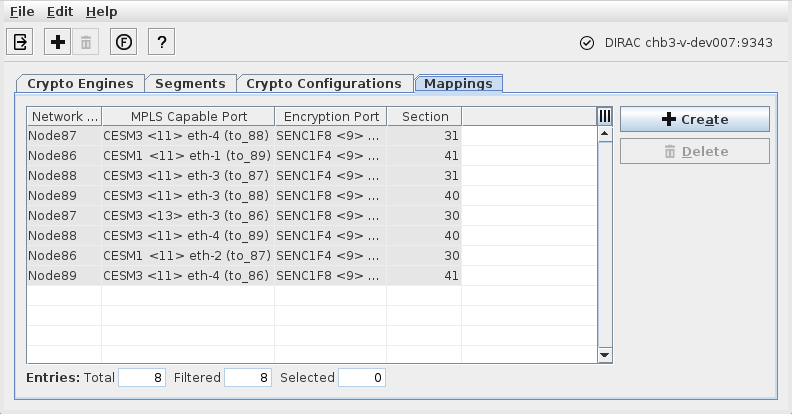
Display, create, and delete mappings of core unit (Central Unit) front ports and Encryption Unit front ports on specific NEs. For each of the links, the mapped core unit (Central Unit) front port and encryption unit front port need to be physically connected.
Dialog Image
Informational content
Network Element | The Network Element Name where the Encryption Unit and the Crypto Engine are located. |
MPLS-TP Capable Port | The unit name, slot, and MPLS-TP port ID on the core unit that is mapped to an encryption unit port. |
Encryption Port | The unit name, slot, and MPLS-TP port ID on the encryption unit that is mapped to a core unit port. |
Section | The section name as shown in the Section Management dialog. |
Controls (buttons, menu items, etc.)
Exit |  | Closes the Ethernet Security Manager dialog. |
Create mapping |  | Opens a dialog to create a new mapping (Create Mapping) between a core unit front port and an encryption unit front port. |
Delete |  | Delete a selected Mapping. |
Functional Unit View |  | Opens the Functional Unit View. |
? Help |  | Calls the help viewer and opens this page. |
Related dialogs/windows