
Working and Protection Label Switched Paths (LSPs)
Purpose
When the routing is completed, the Working LSP and Protection LSP tabs display the Working and Protection Paths respectively.
The tabs allow to delete LSP element, enable/disable working or protection LSP.
Dialog image
Mandatory entries
Not applicable.
Optional entries
Not applicable.
Informational content
Working LSP/ Protection LSP
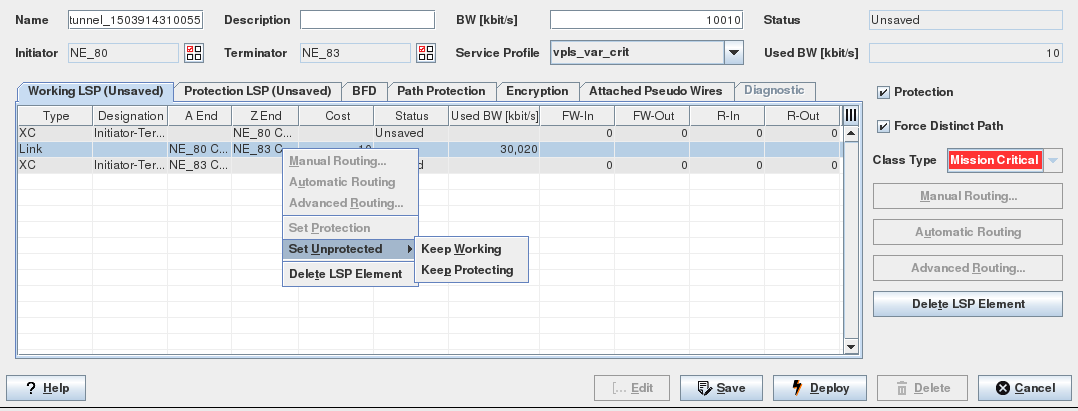
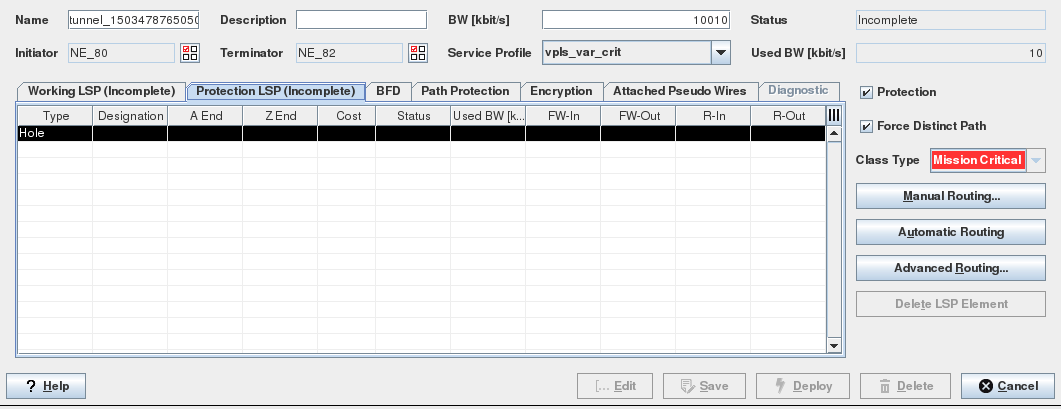
Type/Designation | Shows a list of the path elements. A path element can be a: - Hole: represents an incomplete path section. - XC (Cross Connection). There are two types of XC designations: Initiator (ingress) – Terminator (egress) NE: pushes/pops the node label. Transit (Switching) NEs: switch the node label and send the packet to the path. - Link: MPLS-TP link connecting Initiator -Transit-Terminator routers. These MPLS-TP links carry the MPLS-TP packets from a node to the next. An MPLS-TP link joins two MPLS-TP ports. |
A End | The A End NE’s MPLS-TP port. |
Z End | The Z End NE’s MPLS-TP port. |
Cost | The MPLS-TP link cost. |
Status | Shows the deployment status of the Tunnel. |
Used BW [kbit/s] | The total allocated bandwidth of all configured (saved in the database) and deployed Tunnels using the link. |
FW-In | Incoming LSP Label (Forward direction: Initiator to Terminator). Note: The LSP labels are assigned when the tunnel is saved. |
FW-Out | Outgoing LSP Label (Forward direction: Initiator to Terminator). |
R-In | Incoming LSP Label (Reversed direction: Terminator to Initiator). |
R-Out | Outgoing LSP Label (Reversed direction: Terminator to Initiator). |
Controls (buttons, menu items, etc.)
Context Menu
Starts the Manual Routing by calling the Next-Hop dialog. This allows the user to route the LSP manually. Calling this command on a Hole will open the Next Hop dialog, which lists all possible MPLS-TP links to reach the next-hop node. | |
Starts the Automatic Routing based on the predefined Automatic Routing Parameters. | |
Calls the Automatic Routing Parameters dialog. | |
Set Protection | Ticks the Protection checkbox and activates the Protection LSP tab, Path Protection tab, and BFD sessions. Only available when the Service Profile is allowing this setting. |
Set Unprotected | Unprotects the path (LSP). Only available when the Service Profile is allowing this setting. Choose between “Keep Working” and “Keep Protecting” path. The chosen path is used as the working path (without protection). |
Delete LSP Element | Removes the LSP elements from the Path. It is possible to remove - a link, - an NE and a link, - a number of consecutive links from the path. If more than one link is selected the nodes between two links are also removed. The removed LSP element(s) are then replaced by a “Hole”. Only one “Hole” is allowed on the path. |
Help
? Help | Calls the help viewer and opens this page. |
Table Sorting and Filtering/Export and Printing
Please refer to Table Sorter section for details.
Related dialogs / windows
Service Profile (depends on license option).