
Hardware View Unit
Purpose
The Unit View is the second level of the Hardware View hierarchy. It provides quick identification of the subunits with active alarms. In addition it offers access to the status and the alarm customisation functionality of the unit.
Each unit is divided into two or more functional layers, the Board layer, and at least one Subunit layer. These layers are presented as tabs. When a tab is not selected, it shows the color for the severity of the highest active alarm that belongs to the layer.
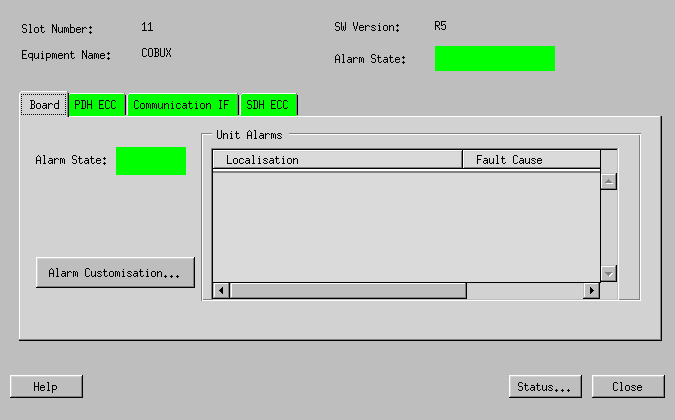
The Board layer view shows only the alarms concerning the general operation of the unit, i.e. everything that is not directly traffic related.
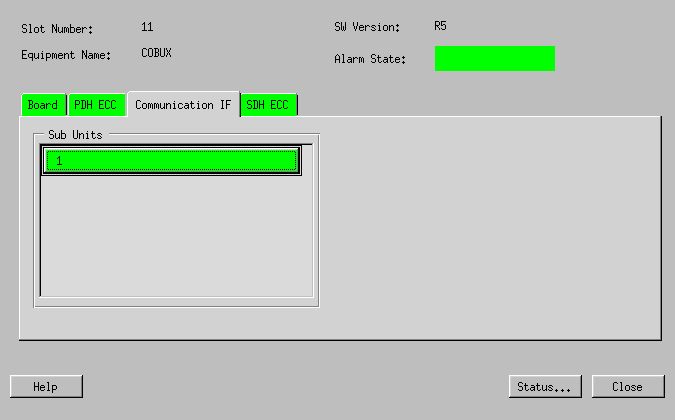
A Subunit layer view gives a graphical representation of the subunits. Enabled subunits are shown in the color of the currently active alarm with the highest severity. Disabled subunits are shown in gray. In addition the subunit name specified in the configuration is displayed.
Dialog images

Please note:
The dialogs are unit specific, as each unit has its own layering and its specific number of subunits. The example below is of the unit COBUX.
Board layer view
Subunit layer view
Mandatory entries
Not applicable.
Optional entries
Not applicable.
Informational content
Slot Number | The slot number of the FOX51x subrack the unit is residing in. |
Equipment Name | The five character name designating the FOX51x unit. |
SW Version | The version of ESW that the template used to configure the unit in UCST has been based on. The resident ESW must be same version or higher. |
Alarm State | The color for the Severity of the highest current alarm in the unit. |
Unit Alarms | A list of the currently active alarms for the board layer only. |
Sub Units | Shown when selecting any layer other than Board. Each subunit shows the color of the current alarm with the highest severity and the subunit name if configured. Disabled subunits are shown in gray. |
Controls (buttons, menu items, etc.)
Alarm Customisation… | Opens the Alarm Customisation dialog for the unit (board layer) alarms. |
Status… | Calls the status dialog for the unit. This is the same dialog reached via the menu Unit Configuration > Status/Maintenance of UCST. |
Help | Starts the FOXMAN‑UN help viewer and opens this page. |
Close | Closes the dialog without applying the modifications. |
Related dialogs / windows