
Alarm Customisation – Manage Templates
Purpose
The Alarm Customisation Templates ease the creation steps of Alarm Customisation as well as ensures consistent texts and mappings applied across a network.
There are 4 types of Alarm Customisation Template:
− Alarm & Severity,
− Work Instructions,
− Unit Alarms,
− Unit Port Alarms.
The Alarm & Severity template offers a collection of Alarm Texts with associated Severity.
The Work Instructions template is a simple collection of texts.
The Unit Alarms template allows a collection of Alarm Texts (with Severity) and Work Instructions to be created for specific Unit type.
The Unit Port Alarms template is the same as a Unit Alarms template with an additional Port address being specified for each Alarm Customisation data item.
The Manage Template dialog can be accessed from the Alarm Customisation main frame menu: Option > Manage Templates. This dialog lists all of the currently existing template types.
Dialog image
Alarm Customisation
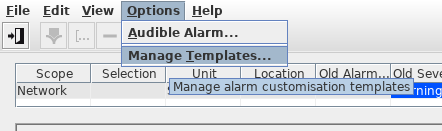
Manage Templates
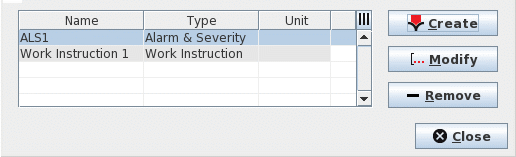
Controls (buttons, menu items, etc.)
Create | Calls the Create Template dialog to create new template. |
Modify | The Modify button is enabled when one existing template is selected. Calls the Modify Template dialog to add, remove, or modify the texts of the selected template. |
Remove | Deletes the selected templates. |
Close | Closes the dialog. |
Table Sorting and Filtering/Export and Printing
Please refer to Table Sorter section for details.