
Sync Map – Error Message
Purpose
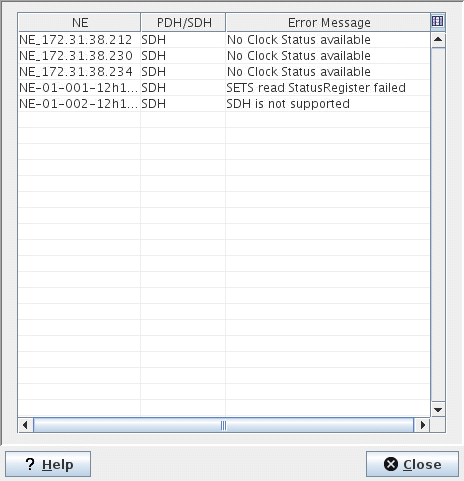
During the process of adding NEs to the Synchronization map via the Sync Map – Select NEs dialog, NEs are identified that do not meet the required synchronization configuration. This dialog lists the NEs or FOs, selected by the user, which do not meet the requirements. E.g. the NEs belonging to the wrong synchronization type will be listed in this dialog, with synchronization error specific messages, and these NEs will not be included in the generation of the synchronization map.
Dialog image
Error message
Mandatory entries
Not applicable.
Optional entries
Not applicable.
Informational content
Lists of the NEs or FOs with the error messages. The messages explain why they do not meet the synchronization configuration required for the generation of the synchronization map.
Controls (buttons, menu items, etc.)
Table Sorting and Filtering /Export and Printing
Please refer to Table Sorter section for details
? Help | Calls the FOXMAN‑UN help viewer and opens this page. |
Close | Closes the dialog |
Related dialogs / windows