
NEM Network Browser
For more details see section NEM Network Browser.
Maps
The NEM Network Browser allows creating graphical representations of the managed network or part thereof via the Open Map function.
These maps are then used to supervise the managed network via the fault and performance management functions or to modify the network using the configuration functions.
Map creation
Maps are populated using the Map Population functions:
− Symbols for NEs, FOs, and the System can be placed on a map. Any NE, inclusive of type Foreign Object (FO), or System can be represented on any number of map, but only once per map (including its group).
− Group symbols can be used to create secondary maps. This allows structuring a large network into reasonably sized parts. Several levels can be used, a group map can again contain group symbols.
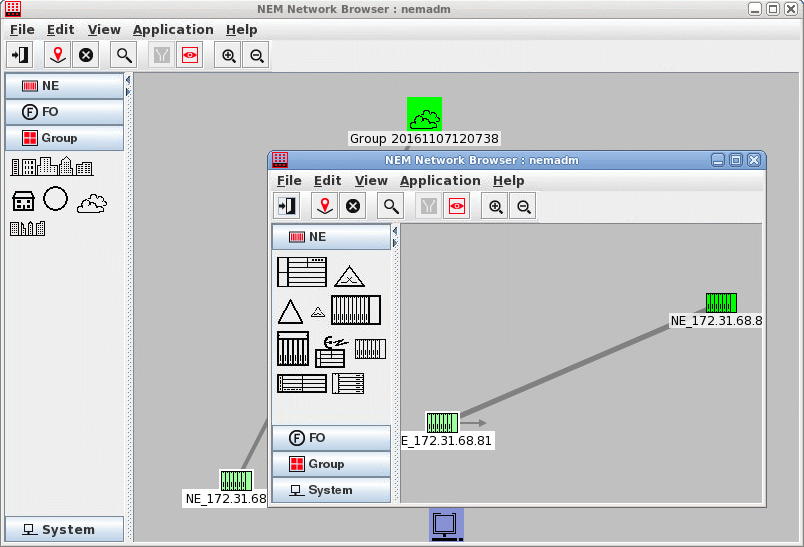
− Sections represent traffic or clock connections between NEs. They are shown as straight lines between two NEs. A single line can represent several connections.
− Background imported background images can be assigned to maps, e.g. country, city or street maps or floor plans.
Network supervision
Fault management
Fault Management offers various tools to view and analyze alarms produced by the NEs and displayed on the maps.
Configuration management
Configuration Management allows starting the configuration tools for modifying the configuration of any NE in the managed network.