
Service Category (HQoS Service Category Definition)
The “Service Category” dialog is called from the ENP menu “Tools – HQoS Configuration Manager…”.
Purpose
The purpose of this feature is to define service categories that can be applied to Class Types.
Dialog image
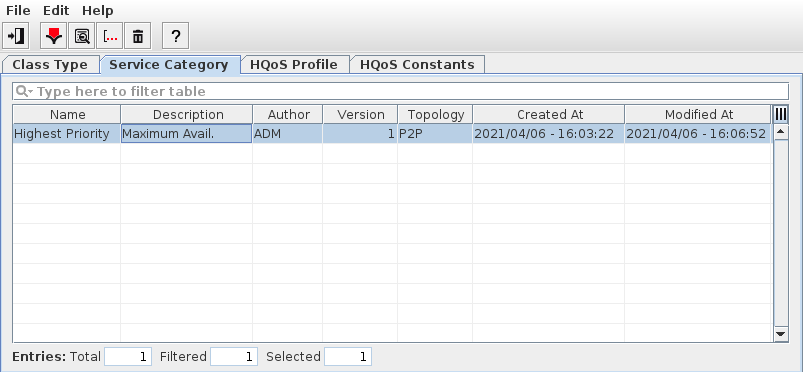
Service Category
Mandatory entries
None.
Optional entries
None.
Informational content
Lists the service categories that have been defined so far. To create a service category, click the “Create a new Service Category” icon. This will open the “Create Service Category” wizard.
Controls (buttons, menu items, etc.)
Create Service Category… |  | Calls the Create Service Category dialog. |
Modify Service Category… |  | Switch to edit mode to modify service category definitions. The options available are as shown in the Create Service Category dialog. |
Show Service Category Details… |  | Calls the Service Category details dialog. In this dialog, the service category settings are shown as defined in the Create Service Category dialog, however, they are read-only by default. To modify settings, use the “Edit” command button of the dialog window. Note: This button is only active while one existing service category is selected. |
Delete Service Category… |  | Deletes the selected service category. This action needs to be confirmed. Note: This button is only active while at least one existing service category is selected. |
Help |  | Calls the help viewer and opens this page. |
Exit |  | Quit HQoS Configuration Manager. |
Related dialogs / windows