
Circuit Service
The Circuit Service tab provides
• a list of circuits used for end-to-end services between two physical ports,
• filter options,
• a search utility, and
• a “+ Create” command button that starts a wizard for creating a new circuit service.
A circuit has a cross connection from the physical port on each of the two end points of the service.
To create a new Circuit service, make sure to have a suitable Circuit Emulation Service available. Once this is fulfilled, click on “+ Create” to start the Create Circuit wizard. It will guide you through the following 4 steps
depicted with an example:
Step 1: General
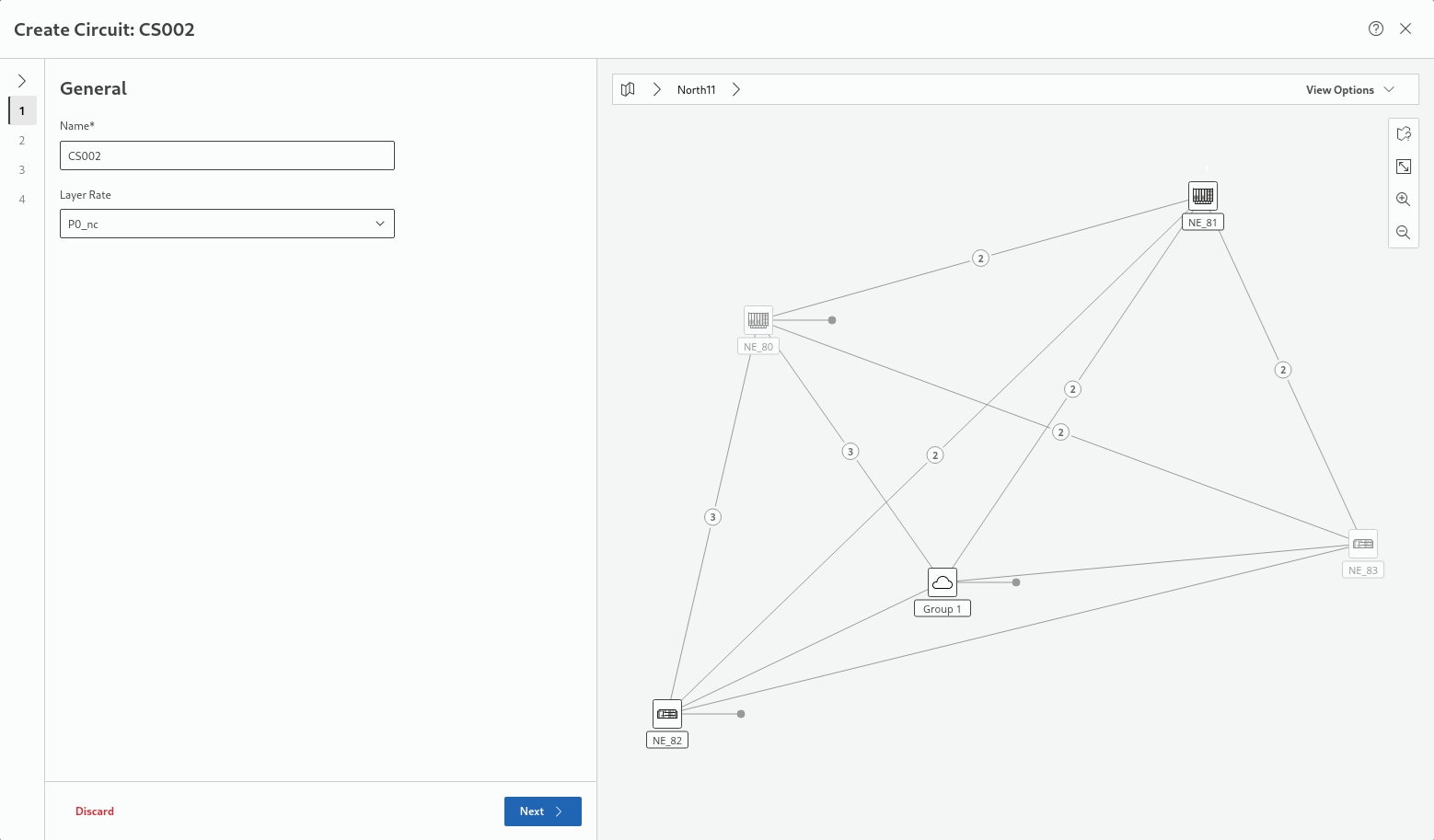
Enter a name and select a service rate (P0_nc or P12).
Click “Next >” to proceed to step 2 Endpoints.
Step 2: Endpoints
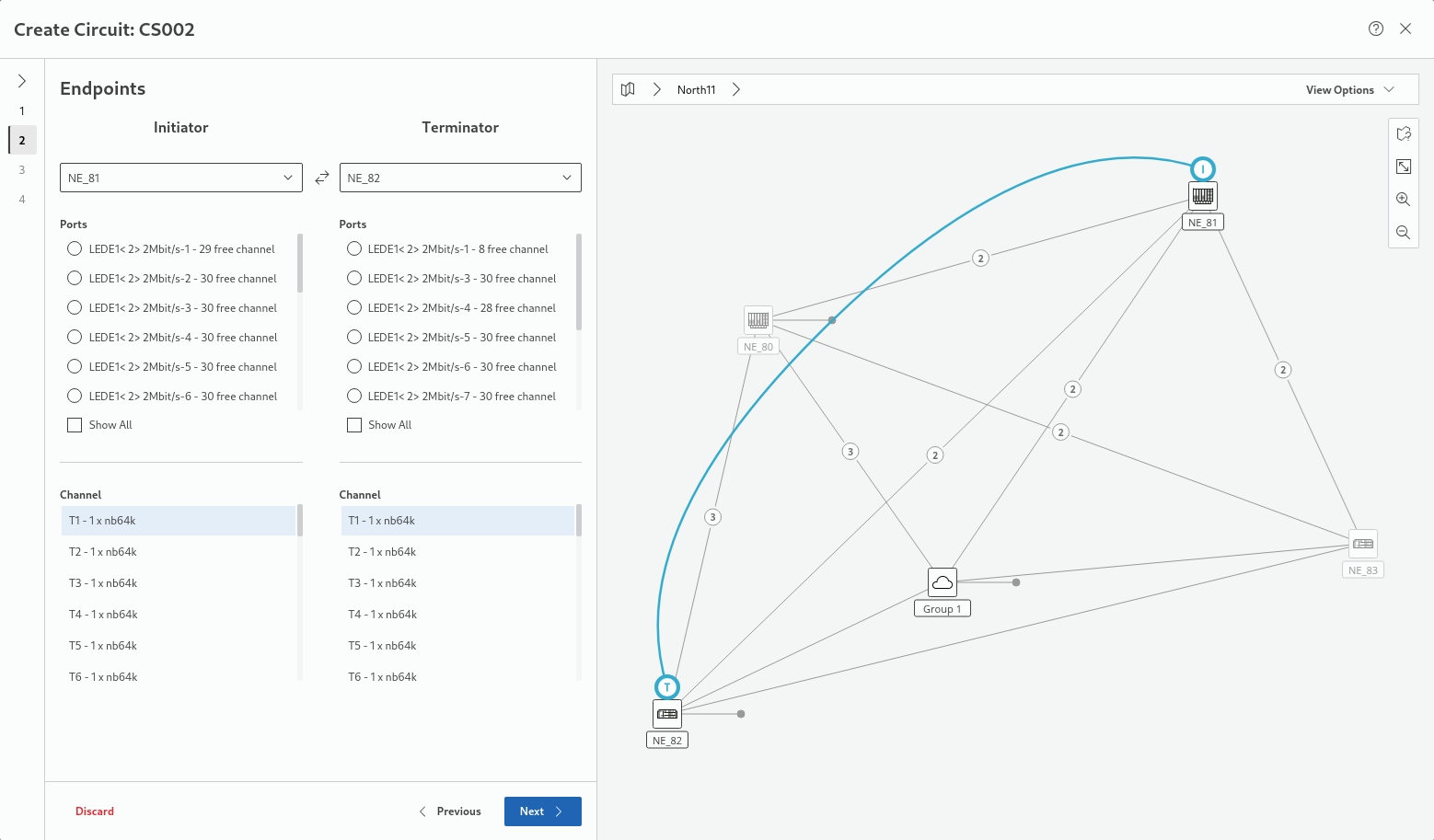
Make sure to remember the layer rate in step 1, the termination mode, and the CAS setting. These settings may be essential for the selection in step 3.
Click “Next >” to proceed to step 3 Circuit Emulation Service.
Step 3: Circuit Emulation Service
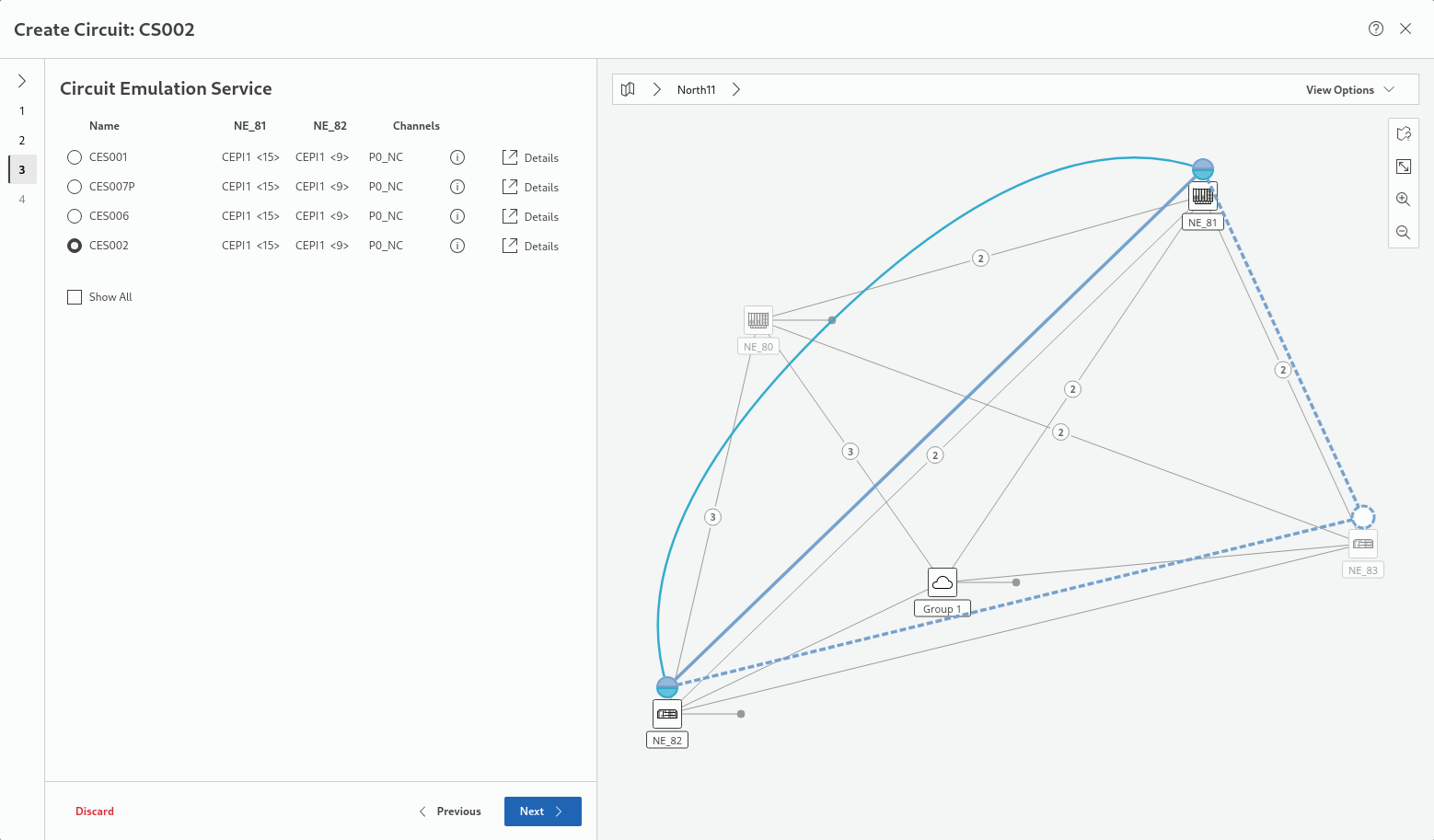
If, during Circuit Service creation, step 3, there is no suitable Circuit Emulation Service available, the service cannot be created. By showing all existing Circuit Emulation Services available, including the unsuitable ones, and clicking on the (i) icon for the respective entry, the reason for its unsuitability is shown in the “Reason” entry.
Possible reasons for unsuitability may include inappropriate bandwidth (number of timeslots), termination mode or CAS mode.
Click “Next >” to proceed to step 4 Summary.
Step 4: Summary
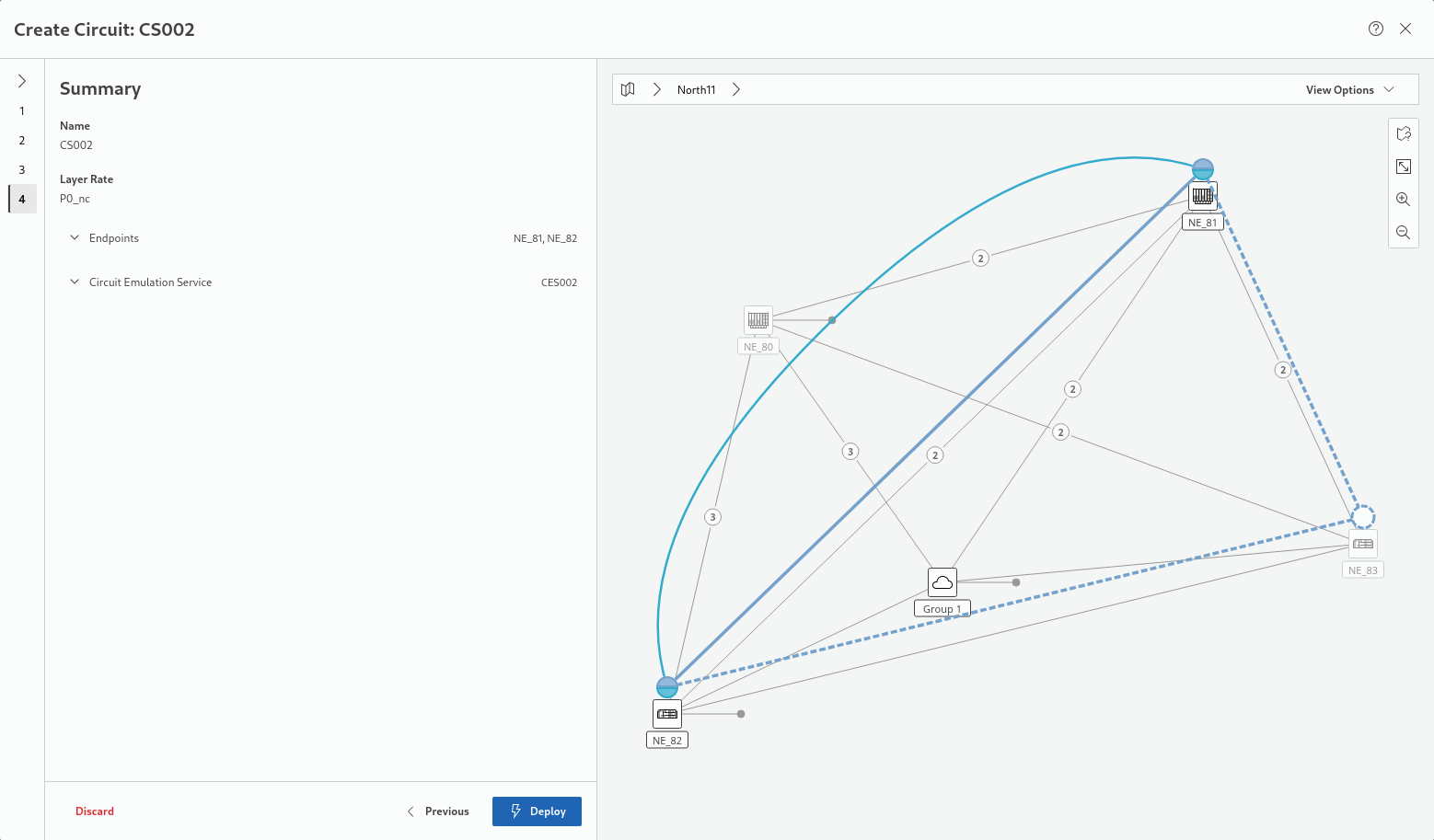
Verify the details listed under “Summary”. If correct, deploy the circuit service by clicking “Deploy”. Wait until deployment is successfully concluded.
Click “Finish” to close the wizard.
A circuit service selected in the entity browser list is shown on the map. Its detail information is shown in the right panel. All details are available on the details page of the service. The details page for a selected circuit service can be opened via the “Details” command ion the ribbon.