
Maps Visualization
Managing maps
Creation of maps
The user can create new maps using the map manager. It is called from the User Preferences menu via the “Manage Maps” function (see Figure User Preferences options) or from the map icon in the map options bar (see Figure Changing map by using Map Selector component (here in opened state)).
The map manager lists all existing maps. While editing maps, the map manager provides a map view with all required elements.
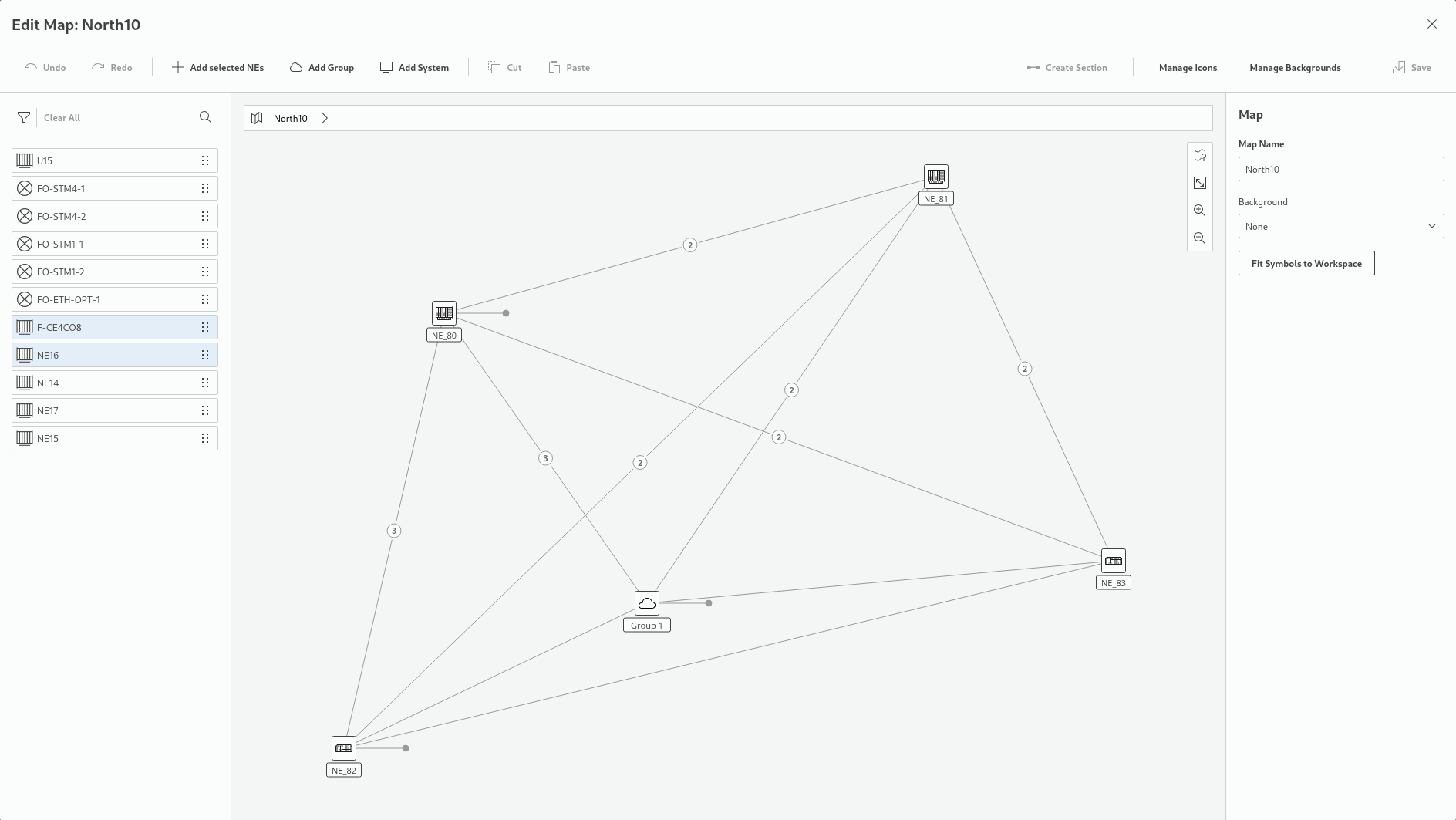
Map manager while editing a map (example)
Depending on assigned roles and permissions, the map manager allows a user to
• create new maps,
• edit a selected map,
• duplicate a map,
• delete maps,
• search and filter for maps and backgrounds in the table of existing maps,
• manage backgrounds,
• manage icons,
• add NEs,
• add groups,
• add systems,
• cut and paste elements,
• create sections,
• undo actions,
• redo actions,
• save changes to maps.