
Profiles & CPS – Create Task (legacy dialog)
Purpose
This dialog allows creating new tasks that will download one or several profiles or CPS to one or several NEs. A separate task is generated for every selected profile and every selected CPS.

Please note:
The list of NEs offered for selection is filtered to the member NEs of the domain(s) assigned to the current FOXMAN‑UN user.
The user should have “NE Profile Update” and “Update – Network Element” defined in its User Privileges and Profile Properties, respectively.
Dialog image
Profile & CPS: Create Task
Mandatory entries
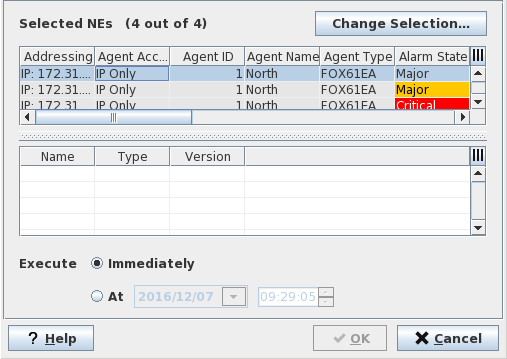
Change Selection | Calls the “Select NEs” dialog. |
Profiles & CPS | Select the required profile(s) and/or CPS(s) in the list of available profiles and CPS. The list includes only the FOX61x profiles and CPS imported in the FOXMAN‑UN database. Notes: - Ctrl-click selects single elements in the lists - Ctrl-a selects all the elements in the lists If the required profile or CPS does not exist in the list, use the dialog “Profile & CPS – Administration” to import or create it. |
Please note:
A separate task is generated for every selected profile and every selected CPS.
Optional entries
Not applicable.
Informational content
The “Selected NEs” table lists the NEs to which one or several profiles or CPSs will be downloaded.
Controls (buttons, menu items, etc.)
? Help | Starts the FOXMAN‑UN help viewer and opens this page. |
OK | Creates the task(s) and closes the dialog. |
Cancel | Closes the dialog without creating a task. |
Table Sorting and Filtering/Export and Printing
Please refer to Table Sorter section for details.
Related dialogs / windows
Not applicable.