
Manual Routing: Next Hop List
Purpose
The dialog is called from Application (View/Create/Edit) dialog.
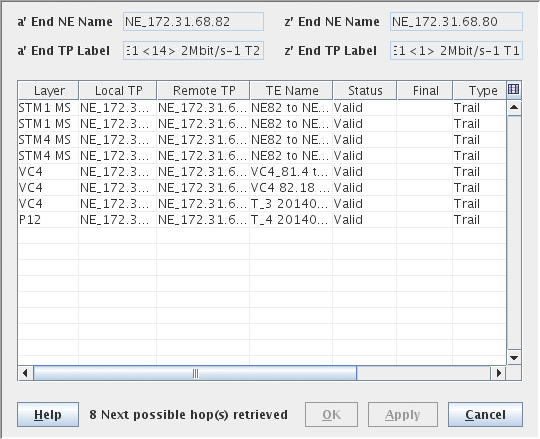
This window is used to select a Hop computed by the FOXMAN‑UN NP server to further complete the current Path of the Transport Entity being routed. One hop has to be selected in the list. Each entry matches a specific hop.
− “a End TP” and “z End TP” are the TP extremities of the current Hole.
− “Local TP” and “Remote TP” are the extremities of the Hop. If a Hop is selected, then “a End TP” is set to “Remote TP”.
− TE Name/Status/Type/Layer/Protection/CAS/Cost are attributes of each Hop.
− Final tag is computed by the FOXMAN‑UN NP. It indicates that the path will complete the Hop if selected. OK and Apply buttons both close the window.
Dialog image
Next Hop
Mandatory entries
Select one of the Trails from the Hop List.
Optional entries
Not applicable.
Informational content
List the possible Hop(s) to complete the route.
Controls (buttons, menu items, etc.)
? Help | Calls the FOXMAN‑UN help viewer and opens this page. |
OK | Applies the modifications and closes the dialog. |
Apply | Applies the modifications without closing the dialog. |
Cancel | Closes the dialog without applying the modifications. |
Table Sorting and Filtering/Export and Printing
Please refer to Table Sorter section for details.
Related dialogs / windows