
NP Select NEs
Purpose
The dialog is called from Transport Entity (New/Modify) dialog, which allows you to select the A End NE or Z End NE.

Please note:
• If the NP license specifies a specific number of NEs to be reported to NP, the listed NEs are members of the NP nodes Domain.
• If NP license specifies max. NP NEs, the listed NEs include all the available NP supported NEs in the network.
Dialog image
Select NEs
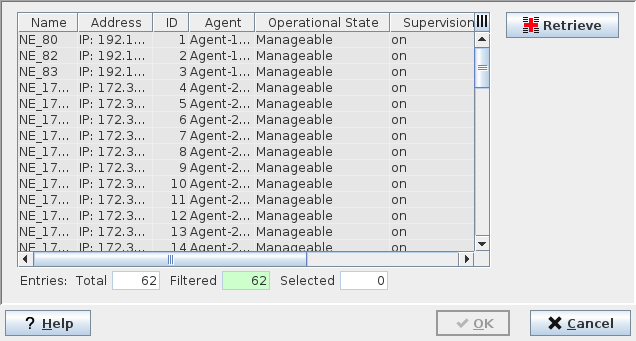
Mandatory entries
Select one of the listed NEs.
Optional entries
Not applicable.
Informational content
List of all NEs that can be reported to NP. These NEs are members of the NP nodes Domain.
Controls (buttons, menu items, etc.)
Retrieve | Refreshes the NE list by starting the scanning process of all available NEs (members of the NP nodes Domains) in the network. |
? Help | Calls the FOXMAN‑UN help viewer and opens this page. |
OK | Applies the modifications and closes the dialog. |
Apply | Applies the modifications without closing the dialog. |
Cancel | Closes the dialog without applying the modifications. |
Table Sorting and Filtering/Export and Printing
Please refer to Table Sorter section for details.
Related dialogs / windows