
Manual Routing: Channel Selection
Purpose
Once routed, the Circuit knows on which hops the End-to-End signals are multiplexed. The next step to definitely have the signal going from end to end is the selection of dedicated channel(s) in all Trails of the Path.
There are two possibilities:
− Automatic channel selection based on residual capacity of each Trail (recommended)
− Manual channel selection calls the Select Possible Channels dialog, which displays a list of all possible channels to choose from.
Dialog image
Select Possible Channels
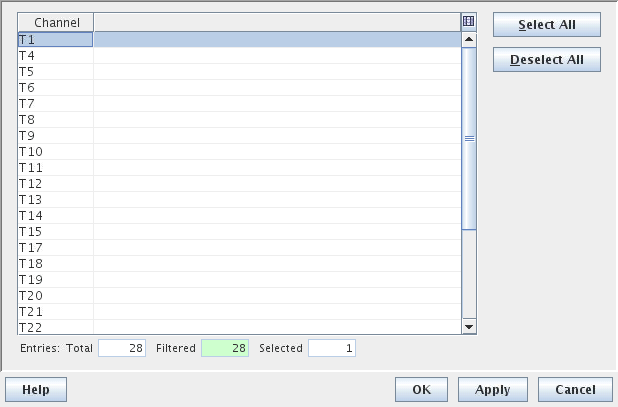
Mandatory entries
At least one channel has to be selected from the list.
Optional entries
Not applicable.
Informational content
List of available channels.
Controls (buttons, menu items, etc.)
Select All | Selects all the listed channels. |
Deselect All | Deselects all selected channels. |
? Help | Calls the FOXMAN‑UN help viewer and opens this page. |
OK | Applies the modifications and closes the dialog. |
Apply | Applies the modifications without closing the dialog. |
Cancel | Closes the dialog without applying the modifications. |
Table Sorting and Filtering/Export and Printing
Please refer to Table Sorter section for details.
Related dialogs / windows