
FO Properties
Purpose
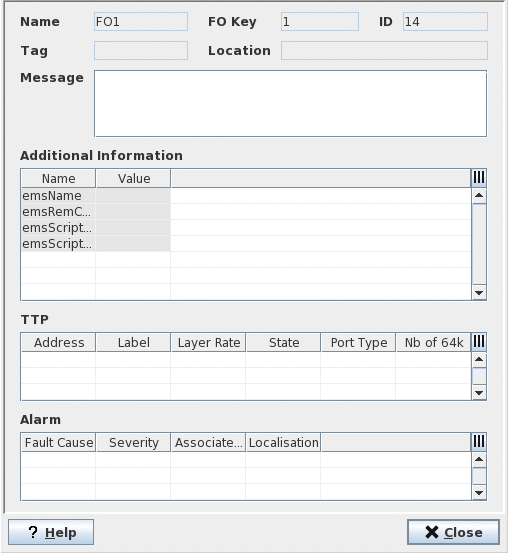
This dialog allows viewing the FO properties without having to open the NEM Configurator. No modifications are possible from here.

Please note:
The Alarm table lists the alarms/commands assigned to the Foreign Object via ALCAR configuration or via the Alarm Customisation (Port Scope > “Transfer to FO”) configuration.
Dialog image
Properties for <FO_name>
Mandatory entries
Not applicable.
Optional entries
Not applicable.
Informational content
Not applicable.
Controls (buttons, menu items, etc.)
? Help | Calls the FOXMAN‑UN help viewer and opens this page. |
Close | Closes the dialog. |
Related dialogs / windows