
Manage Graphics
Purpose
This dialog allows importing, exporting or deleting bitmap files for NE symbols, FO symbols, group symbols, system symbols or background graphics.
It is called from the main window of the NEM Network Browser via the menu option “File – Manage Graphics…”.
Map symbols have to be provided in the “.png” (Portable Network Graphics) format, whereas background images have to be in “.jpg” (Joint Photographic Group) format. Other formats are not accepted by the import dialogs.
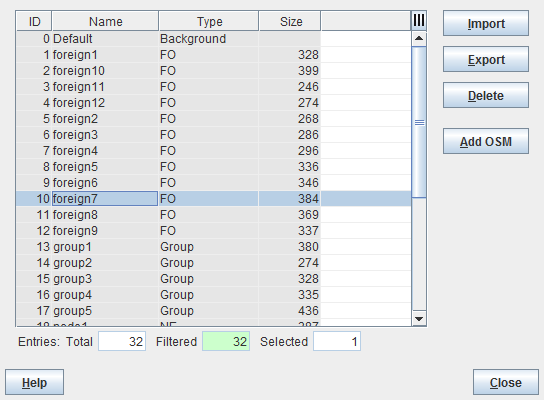
Dialog image
Import/Export Graphics
Mandatory entries
Not applicable.
Optional entries
Not applicable.
Informational content
List of all available symbol and background files.
Controls (buttons, menu items, etc.)
Import | Allows importing graphics files for: - NE Symbol, - FO Symbol, - Group Symbol, - System Symbol, - Map Background. After selection of the type of symbol, select the directory and the file to be imported. Symbol files must be “.png”, background files “.jpg”. |
Export | Allows the selected file to be saved in a specified directory of the server. Determine the destination path and modify the file name if required. |
Delete | Deletes the selected file. |
Add OSM | Opens a window to enter the URL of a map tiles provider such as, e.g., OpenStreetMap. Once a valid URL has been applied the map can be selected as map background in the “Select Backgrounds” dialog. |
Help | Calls the FOXMAN‑UN help viewer and opens this page. |
Close | Closes the dialog. |
Table Sorting and Filtering/Export and Printing
Please refer to Table Sorter section for details.
Related dialogs / windows