
Alarm Customisation – Select from Template
Purpose
The Select from template window allows the user to select an existing Alarm & Severity or a Work Instruction template to apply to a current Alarm Customisation being modified or created.
Dialog image
Select from template
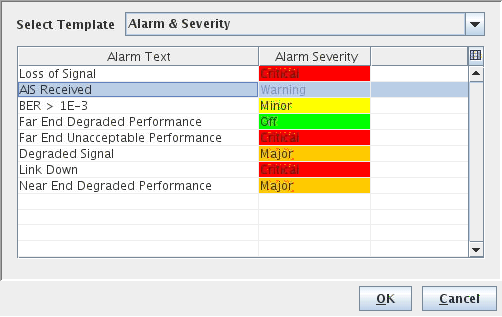
Mandatory entries
Select Template | Select an existing Alarm Text & Severity or Work Instruction template. |
Optional entries
Not applicable.
Informational content
The Select from template Table lists all the existing Alarm & Severity or Work Instruction templates.
Controls (buttons, menu items, etc.)
Buttons
OK | Displays the selected template’s texts/values to the Alarm Customisation editor field: New Alarm Text/New Alarm Severity or Work Instruction. |
Cancel | Closes the dialog without any changes. |
Table Sorting and Filtering/Export and Printing
Please refer to Table Sorter section for details.