
Alarm Customisation – Select NEs/Select NE
Purpose
The Select NEs/Select NE dialogs allow the selection of NE(s) for which the Alarm Customisation should be applied.

Please note:
The list includes only the member NEs of the user’s assigned Domain(s).
Dialog image
Choose NEs
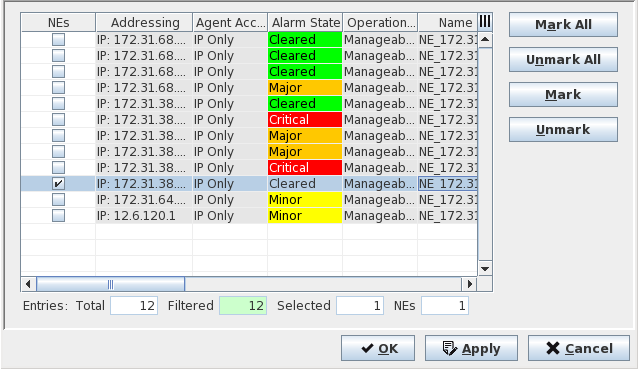
Mandatory entries
Check mark the NE(s) for which the Alarm Customisation will be applied.
Optional entries
Not applicable.
Controls (buttons, menu items, etc.)
Mark All | Check mark/tick all the NEs in the table. |
Unmark All | Clear all the check marks in the table. |
Mark | Check mark the selected NE(s) in the table. Note: - To select/highlight a single item from the table list: Click on a specific NE. - To select multiple items from the table list: Press “Ctrl key” then click on the required NEs. - To select a range of items from the table list: Click on the first NE, Press “Shift key” then click on the last NE to be included in the range. |
Unmark | Clears the check mark(s) of the selected/highlighted NE(s) in the table. |
OK | Applies the modifications and closes the dialog. |
Apply | Applies the modifications without closing the dialog. |
Cancel | Closes the dialog without applying the modifications. |
Table Sorting and Filtering/Export and Printing
Please refer to Table Sorter section for details.