
Link Tab
Displays all MPLS or ENP links. These links are sections created via the Section Management whose endpoints are MPLS interfaces.
An ENP link has a bandwidth attribute (Available BW) used for the LSP path computation. The default Total bandwidth is computed from the physical port characteristic of the end points. The user can overwrite this default bandwidth per Class-Type for the LSP path computation and therefore applying an over-subscription to the link if required.
Allows you to modify the following parameters:
− Name,
− Total Bandwidth (per Class-Type),
− Use for Routing,
− Cost.
The Link’s Name and Cost are synchronized with the Section’s Name and Cost.
A link can be expanded / collapsed in the Link list. When expanded, the link’s Class-Types with their related bandwidths and further parameters are displayed.
A link can be split for insertion of a new NE. The tunnels that were carried over the previous tunnel are re-routed over the two new links and the inserted NE. This procedure requires activation of the ENP Expert Mode.
A graphical view shows the bandwidth usage for every Class-Type when selected in the expanded view.
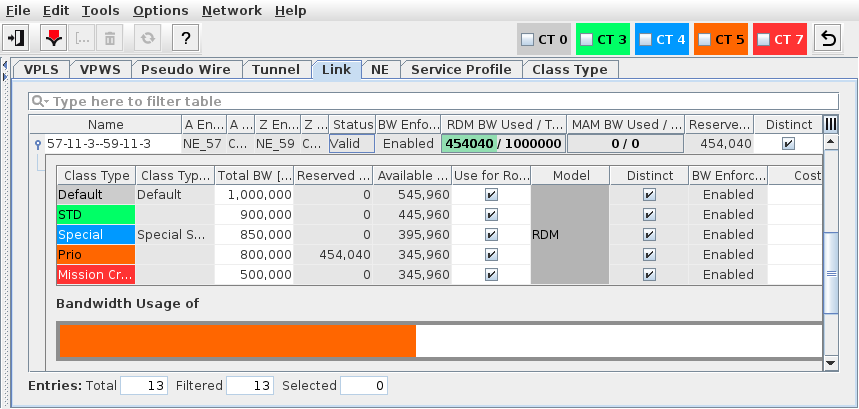
ENP Link Tab