
Configuration
Main Window
The main Window displays the list of all existing Application Filters, Applications and Transport Entities (TEs). Each Application displays details of all its TEs.
There is likewise an event logger at the bottom, which can be cleared as required.
The Main Window allows to:
− Create/Edit/Delete Filter;
− The Filter is used to retrieve and display only a specific list of Applications or Transport Entities (TEs);
− Refresh Filter List;
− Create/Edit/View Application;
− Create/Edit/View TEs;
− View the Application Mgr. list, which displays all currently on-going Application Edits;
− Displays the “Out of Synch” and “Pending Changes” indications.
The “Out of Sync” indication means the NP/BP Databases are de-synchronized. The NP User has to run “npresynch”.
The “Pending Changes” indication displays the number of pending changes or downloads of changes to the NE(s). The user has to wait until this indication is cleared before he can continue with Application Edit.

Please note:
For detailed information on User Workflow and NP troubleshooting, please refer to the User Manual “FOXMAN-UN Networking Package”.
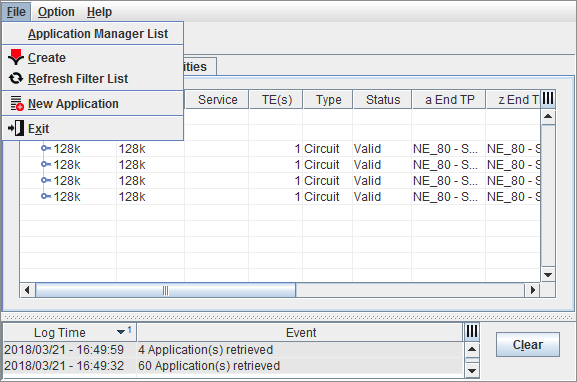
Networking Package (NP) Main Window
The TE is a connection that is created utilizing existing network configuration information such as cross connections and Sections, also known as Topological Trails. The TE brings data from one source termination point to one or more sink termination points in the network at various physical (STM-1, E12, E-DSL, …) and logical rates (P0, P12, VC12, …). The recognition of the TE requires a global view of the network as opposed to an element view.
Four TE types are supported in NP:
«Circuit», «Trail», «SNC» (Sub-Network Connections) and «Unknown».
The TE is built into an Application so that it can be managed in FOXMAN-UN NP. All the user actions are performed through the Application. The Application itself is downloaded to the network and saved in the database in its entirety.
If required the TE can be modified.