
Collection Schedules
From the NEM Desktop-Network, the «Performance Management Client» GUI can be called, which lets you define the desired collection schedules.
The example below shows the lists of all the defined PM collection jobs with their corresponding information. These include the Name, Data counter periodicity: 15min and/or 24h,Time and Date of last modification and Description of the collection job.
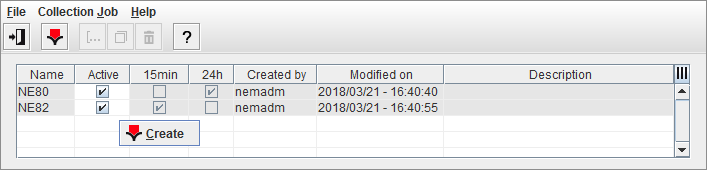
PM Client
The PM Collection Wizard lets you create new PM collection job as well as modify or duplicate an existing job.
For each schedule or job, it is mandatory to define the Name of the collection job, the definition of the type of data to be collected (15 minute interval and/or 24 hour interval), and a list of collection targets. These targets are determined with the help of the Wizard’s Selection panel, which lets you easily step from the Network level down to the desired subunit(s).