
FOX51x NE Configuration
UCST/FOXMAN-UN Look and Feel Similarities
All configuration dialogs in FOXMAN-UN have exactly the same layout as the standalone UCST dialogs. This ensures that an operator who knows how to configure NEs using the standalone UCST is able to make the same configuration using FOXMAN-UN with a minimum of re-training.
The FOX51x hardware views are supported only with the FOXMAN-UN client for Windows®.
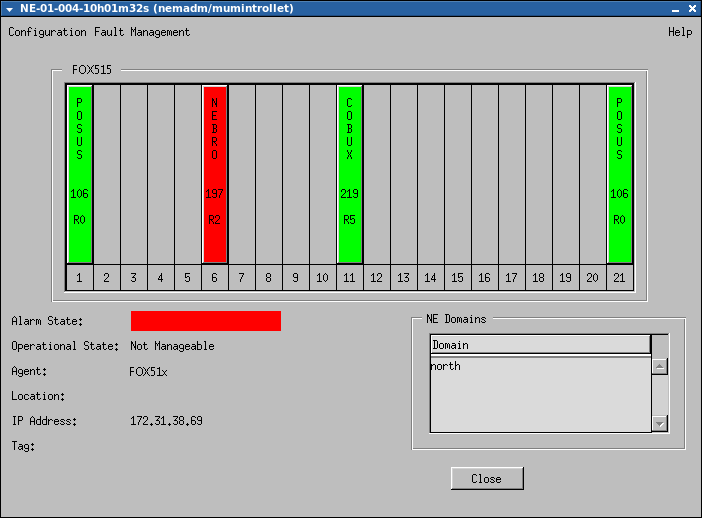
FOX51x NE Configuration
Amongst others, the configuration functions permit the operator to:
• see the function of a given unit (card) by placing the mouse pointer on it;
• set parameters of the Interface units (analogue, data, or transmission), down to what signal level is to be defined or metering pulse, speed, etc.;
• configure cross-connections;
• establish conferences;
• define clock sources;
• define and initiate diagnostic functions (e.g. manual or periodic self tests, etc.);
• define equipment protection;
• define configuration profiles.