
Sections
A section represents a physical interconnection between two NEs or between an NE and a FO (foreign object). It is based on the configuration data of the NEs and FOs.
A section is shown as a colored line on a map. Sections are created using the «Section Management» dialog, which lets you fill in all the details.
The line color indicates either inactive operational state (gray) or when active, the highest alarm severity of the sections.

Please note:
The file /opt/nem/etc/sectionalarmmapping.cfg is a NEM configuration file which allows customer-specific section alarm mapping. It allows you to specify if an alarm affects or does not affect a section. For details, please refer to section 11.3 “FOXMAN-UN Configuration Files” of the user manual “FOXMAN-UN under Linux”.
Please note:
The section status is not immediately updated with alarms, e.g. it may take a delay.
The operator can display the section details including circuits or trails running over the specific section simply by double clicking with the mouse to call the «Section Management» dialog. The dialog displays details of the section showing:
• User-defined section name,
• Transmission capacity (layer rate),
• Cost,
• Type of media,
• A and Z end NEs,
• A and Z end TP labels,
• section ID,
• Alarm state (via coloring).
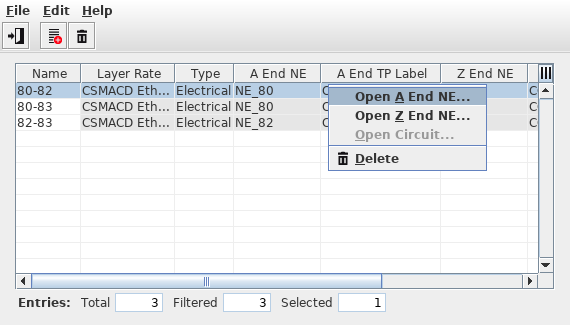
Section Management
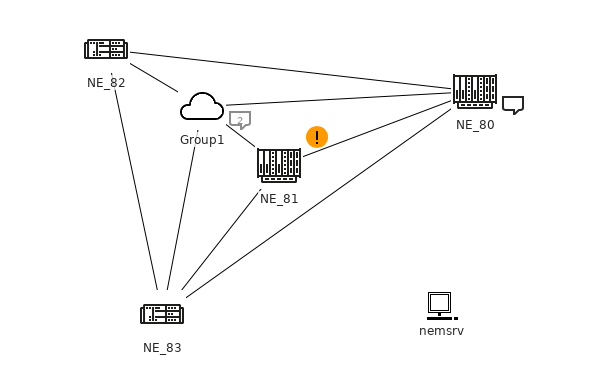
Map Sections