
Time Synchronization Map
Visualization of Network Elements and clock synchronization
In the Time Synchronization map application the user can check clock synchronization of all network elements. Parameters of synchronizations are visualized on the map and also presented in the entity browser. In the entity browser there are two parameters in form of icons (in small version of panel) presented – one presenting the clock itself (to what clock the device is synchronized) and second presenting the clock operating mode.
All clocks in the app are assigned with various colors that are consistent through visualizations in the entity browser and on the map (through colored areas).
State when synchronized clock is not the default clock for NE or the NE is not synchronized to any clock is visualized by the area with overlaying red lines.
A synchronization view is available in the details panel for network elements.
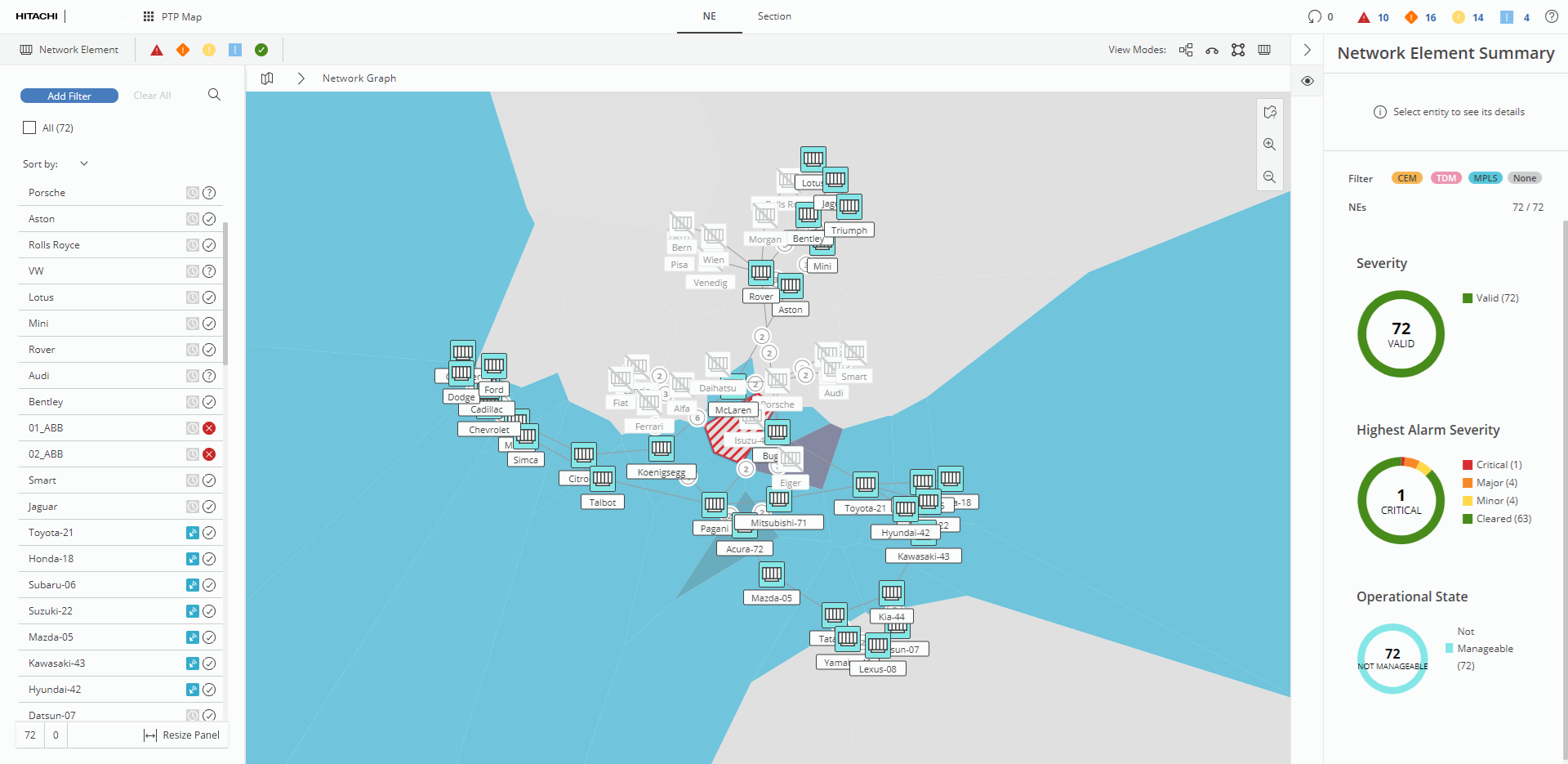
Time Synchronization Map basic view

Time Synchronization map – visualization of bad synchronization status
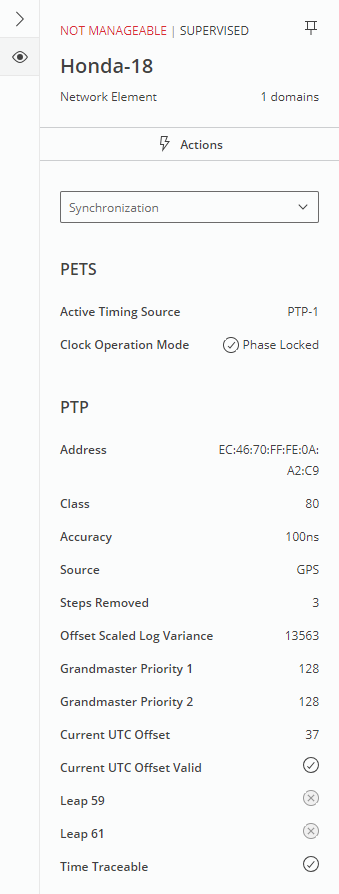
Synchronization view in network element’s details panel