
Homepage
The homepage dashboard provides a set of application shortcuts with status information. It acts as an entry point for further investigation within the system – it allows opening any application the user has access to. Access to some applications can be disabled based on the user role.
The homepage is built of cards representing individual applications. Depending on the application’s status and user access rights, some applications can be unavailable. Their unavailability is represented by graying out the card and additional message stating reason behind the unavailability.
By default, the applications are divided into various groups to facilitate navigation (Figure Homepage layout – sample view and Figure Application cards on homepage in unavailable (left) and available (right) states.). The availability of applications for a specific user is subject to coverage by the FOXMAN-UN license and to user permissions defined via role-based access control.
The homepage can be accessed from within any new application by using an application selector in the common header. This interaction is described later in the document.
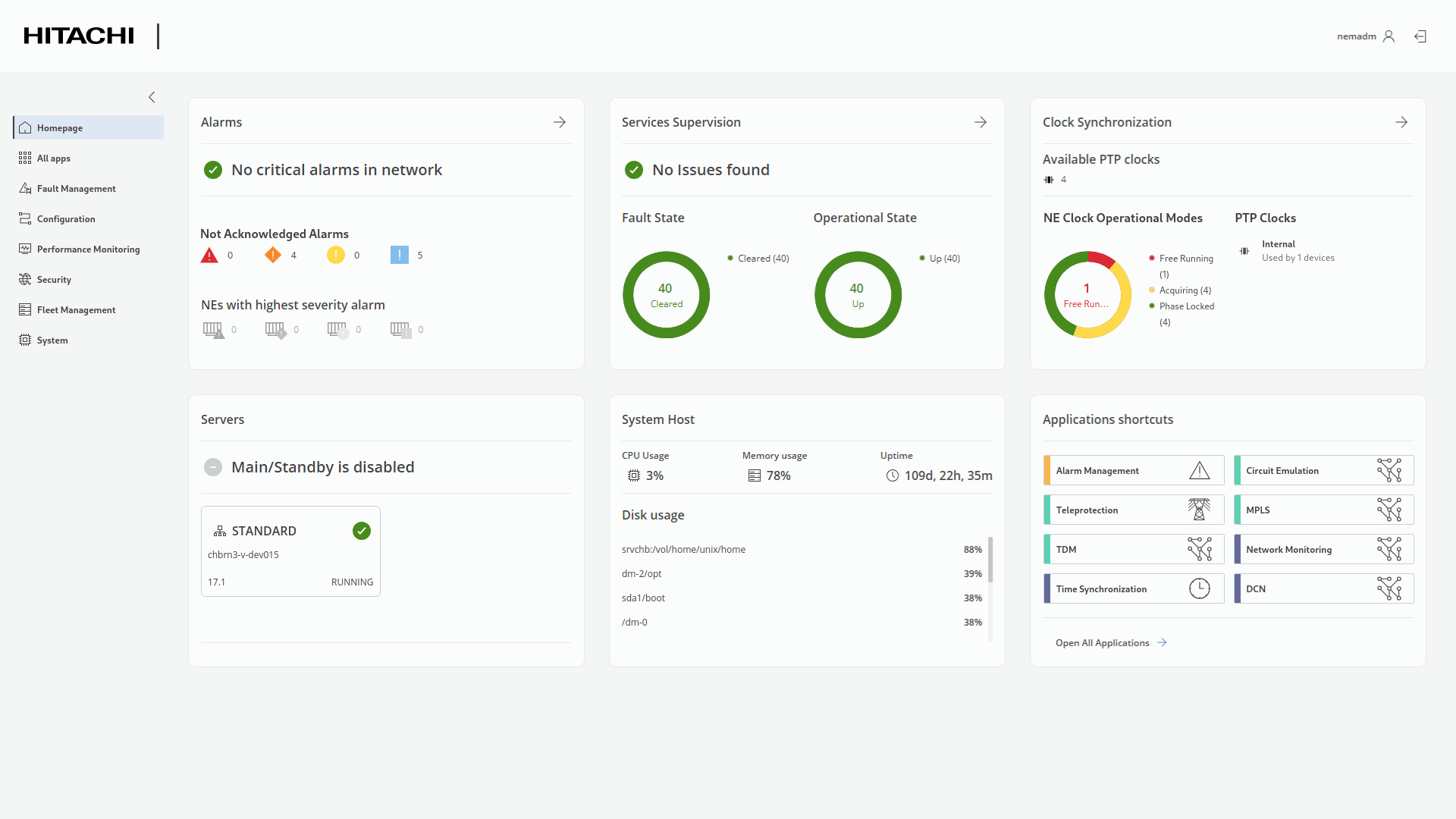
Homepage layout – sample view

Application cards on homepage in unavailable (left) and available (right) states.