
Remote Executor
Purpose
The Remote Executor allows you to execute signed scripts on the FOXMAN‑UN server for specific purposes. Scripts may be provided with the FOXMAN‑UN installer (system level scripts), or they can be installed as customer specific scripts (user level scripts).
The creation of scripts requires assistance by technical support.
An example for a system level script is the NEM data collector: In case of issues observed with the NEM application the Remote Executor allows you to execute scripts for collection of log information. The collected logs can be provided to technical support to analyze the issue. The Remote Executor dialog should only be used upon advice by technical support.
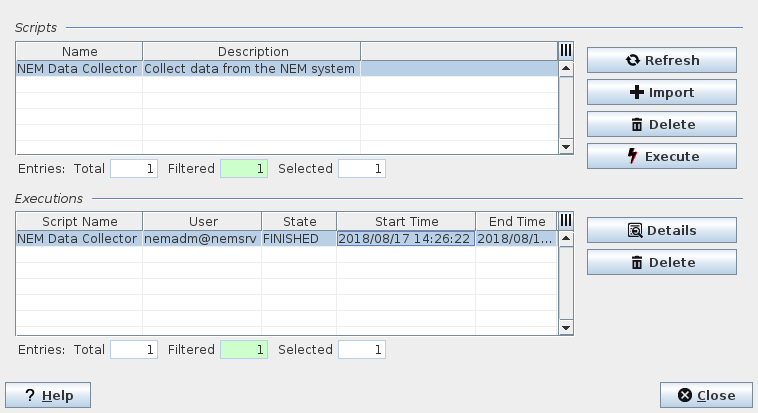
Dialog image
Remote Executor
Mandatory entries
Not applicable.
Optional entries
Not applicable.
Informational content
The “Scripts” table shows available scripts with name and description.
The “Executions” table shows running or terminated executions of scripts with their Script Name, User, State, Start Time, and End Time (if execution is terminated).
Controls (buttons, menu items, etc.)
“Scripts” related commands | ||
Refresh | Refresh the list of available scripts. | |
Import | Import scripts. Valid scripts must be signed. | |
Delete | Delete the selected script(s). | |
Execute | Execute the selected script. Usually, before the script is executed a dialog window is opened that provides… - a more detailed description, - script specific execution options. | |
“Executions” related commands | ||
Details | Show details of the selected execution results. This opens the Execution Details dialog. | |
Delete | Delete the selected execution results. | |
? Help | Calls the help viewer and opens this page. | |
Close | Closes the dialog. | |
Related dialogs / windows