
Execution Details
Purpose
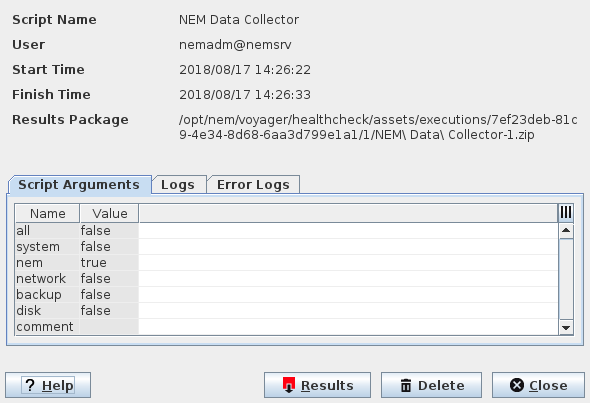
This dialog shows details of the script execution from Remote Executor. It is called via the “Details” command button for an executed script in the Remote Executor dialog.
Dialog image
Execution Details (sample dialog - each script may provide different details)
Mandatory entries
Not applicable.
Optional entries
Not applicable.
Informational content
The information provided in this dialog includes details on the script execution and its results.
Script Name | Shows the name of the executed script. | |
User | Shows the user that initiated the script execution. | |
Start Time | Shows to script execution start date and time. | |
Finish Time | Shows to script execution end date and time. | |
Results Package | Shows the path and file name of the resulting archive file. | |
“Script Arguments” tab | ||
Name | Shows the options that were available with the script execution. | |
Value | Shows whether an execution option was selected or deselected for script execution. | |
“Logs” tab | Shows the log for the script execution. | |
“Error Logs” tab | Shows errors that were logged during script execution. If no errors were logged, the window shows “Log empty”. | |
Controls (buttons, menu items, etc.)
? Help | Calls the help viewer and opens this page. | |
Results | Download the results of the script execution and store it to the file system as a zip file. This command opens a window to select a path and file name, and save the file. | |
Delete | Delete the selected execution results. | |
Close | Closes the dialog. | |
Related dialogs / windows