
Find Symbol
Purpose
This function helps to locate a symbol on a large map with many symbols which might not all be visible. The process also finds symbols which are located on group maps of any level.
Dialog image
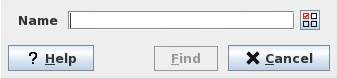
Find Symbol in <Map_name>
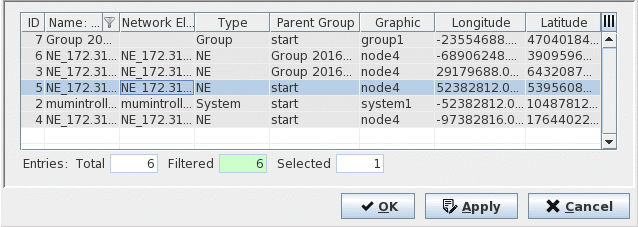
Select Symbols
Mandatory entries
Select an object from Select Symbols dialog for Symbol Name.
Optional entries
Not applicable.
Informational content
Not applicable.
Controls (buttons, menu items, etc.)
Find Symbol dialog:
Name | Displays the name of the symbol to find in the map. Click the Selector button to call the “Select Symbol” dialog. Note: The Name field is automatically filled up with the selected symbol’s name. |
? Help | Opens the FOXMAN‑UN help viewer and opens this page. |
Find | Selects the symbol on the map. If the symbol is outside the focus of the map, scrolls the map till the symbol is visible. If the symbol is on a group map, opens that map and scrolls it till the symbol is visible. |
Cancel | Closes the dialog without initiating the find process. |
Select Symbols dialog:
OK | Applies the selection and closes the dialog |
Apply | Applies the selection, without closing the dialog. |
Cancel | Closes the dialog without applying the selection. |
Table Sorting and Filtering/Export and Printing
Please refer to Table Sorter section for details.
Related dialogs / windows