
Manage Tags
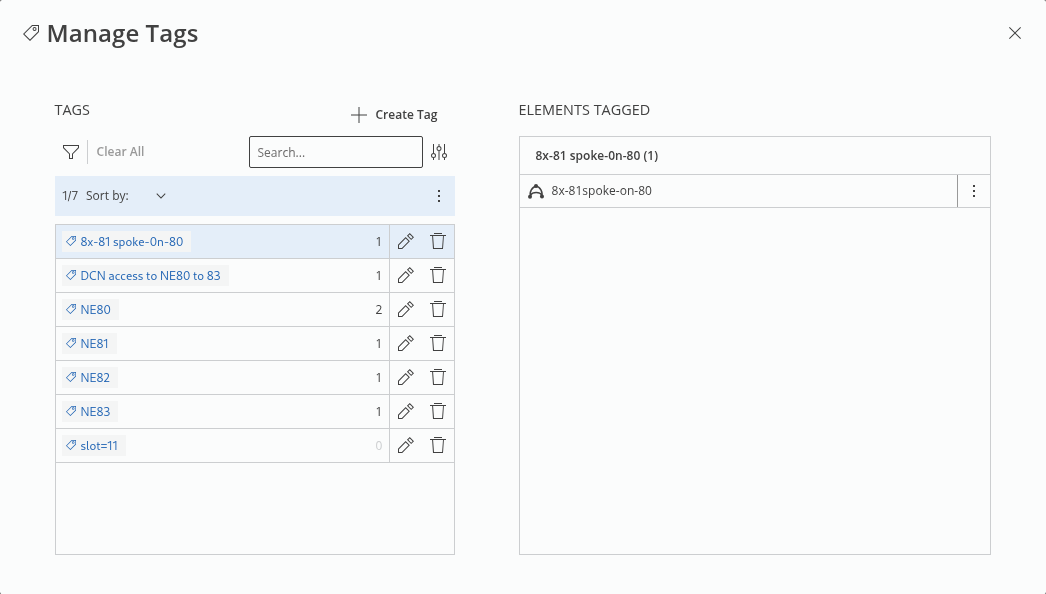
The “Manage Tags” option allows you to
• create tags,
• search for existing tags, and
• set a filter on the tags list.
If you select a tag from the tags list, the elements having the tag assigned are listed in the right-hand side table. For each tagged element listed in the right-hand side table, you can
• untag the element,
• open details page of the element.
If you click on “+ Create Tag” to create a new tag, a modal is opened where you can enter a tag name and click on “Create” to create the tag. If the tag already exists, the modal is closed, an error message is issued, and no new tag is created. If the tag is new, it will be created and added to the tags list with no (0) elements assigned.