
Role
This tab lets you view existing system roles, create new users roles, and manage existing user roles in the scope of FOXMAN‑UN. You need appropriate permissions to do so.
System roles are predefined by the system and cannot be altered. They are listed under the “Roles” tab and marked as “System Role” in the list of roles.
To create a new user role, click on the “+ Create” button in the ribbon. This will open the “Create New Role” wizard, step 1:
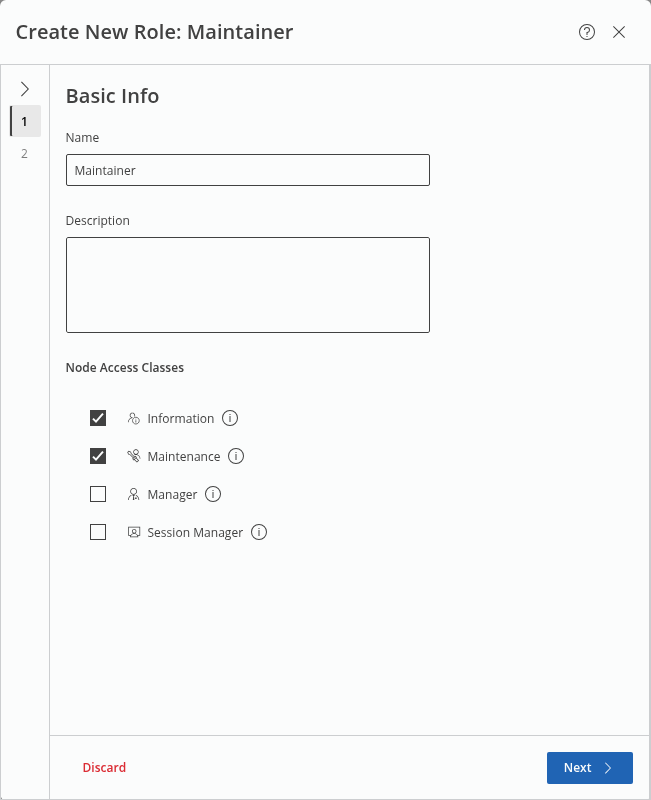
Give the new role a name and a description (optional) and select the required node access classes from
• Information,
• Maintenance,
• Manager,
• Session Manager.
The (i) icon provides a tooltip with more information related to the corresponding node access class.
Click “Next >” to proceed to step 2.
In step 2, for each of the function categories (Network Engineering, Network Monitoring, System Management, Node Management) enable or disable the respective features or set the access permissions to
• No Access,
• Read Only, or
• Full Access.
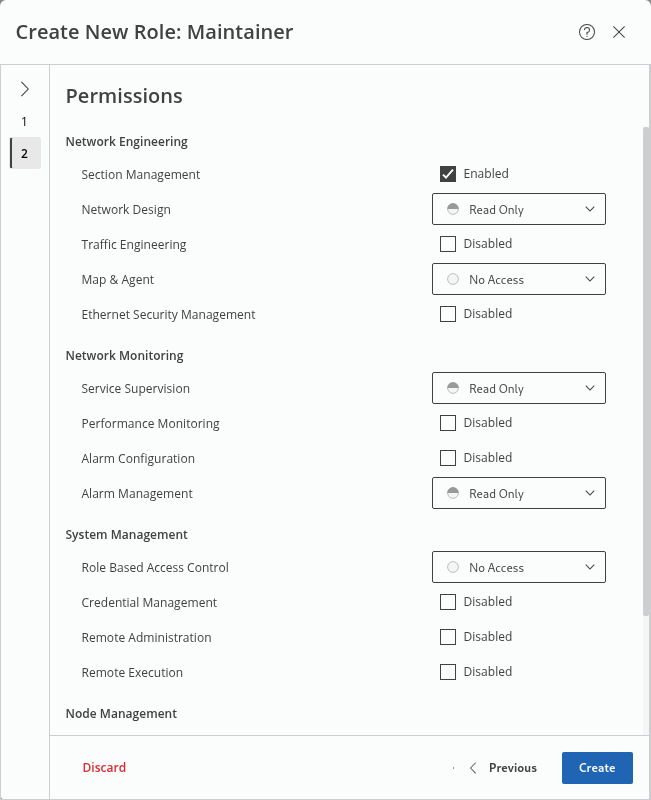
When done, click on “Create” to conclude the role definition and save the settings.
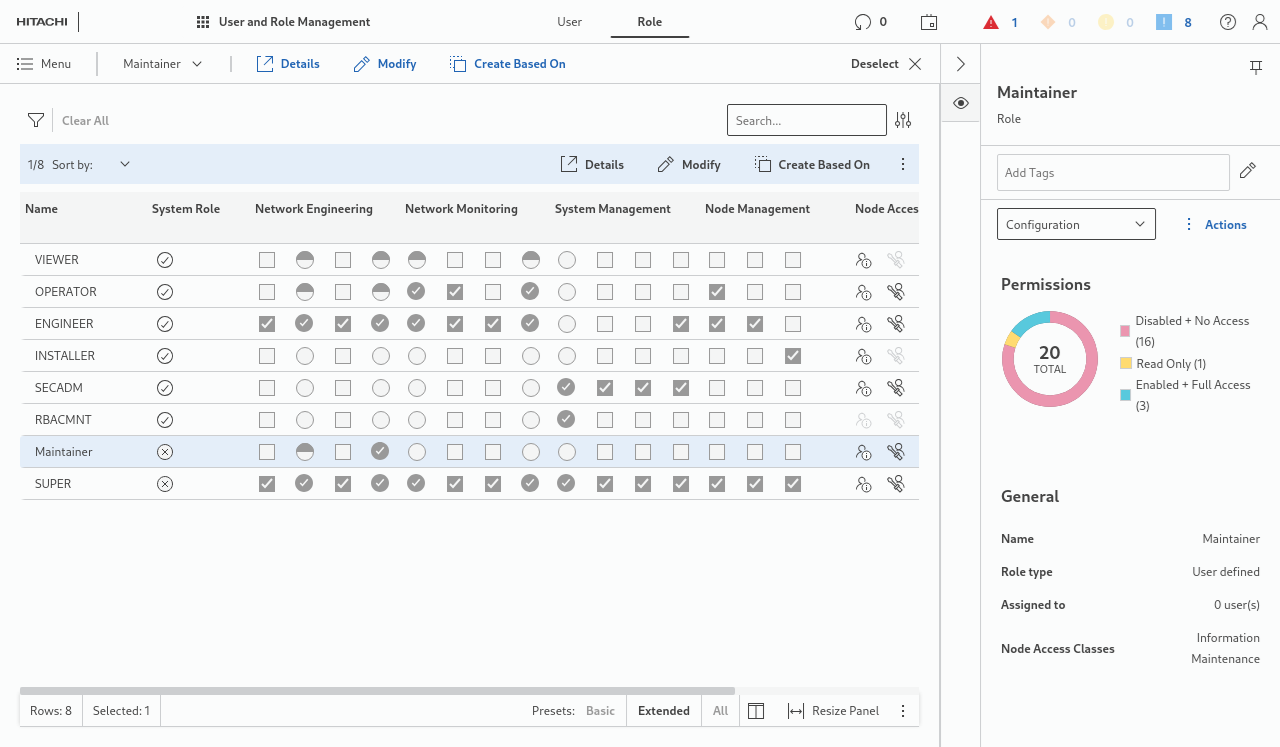
The new user role will now be listed in the Roles table:
To modify a user role, select it from the table and click on
in the ribbon go start and step through the user role modification wizard. To save the changes, click on the “Save” button at the end of the wizard.