
User
This tab lets you create new users in the scope of FOXMAN‑UN and manage existing FOXMAN‑UN users. You need appropriate permissions to do so.
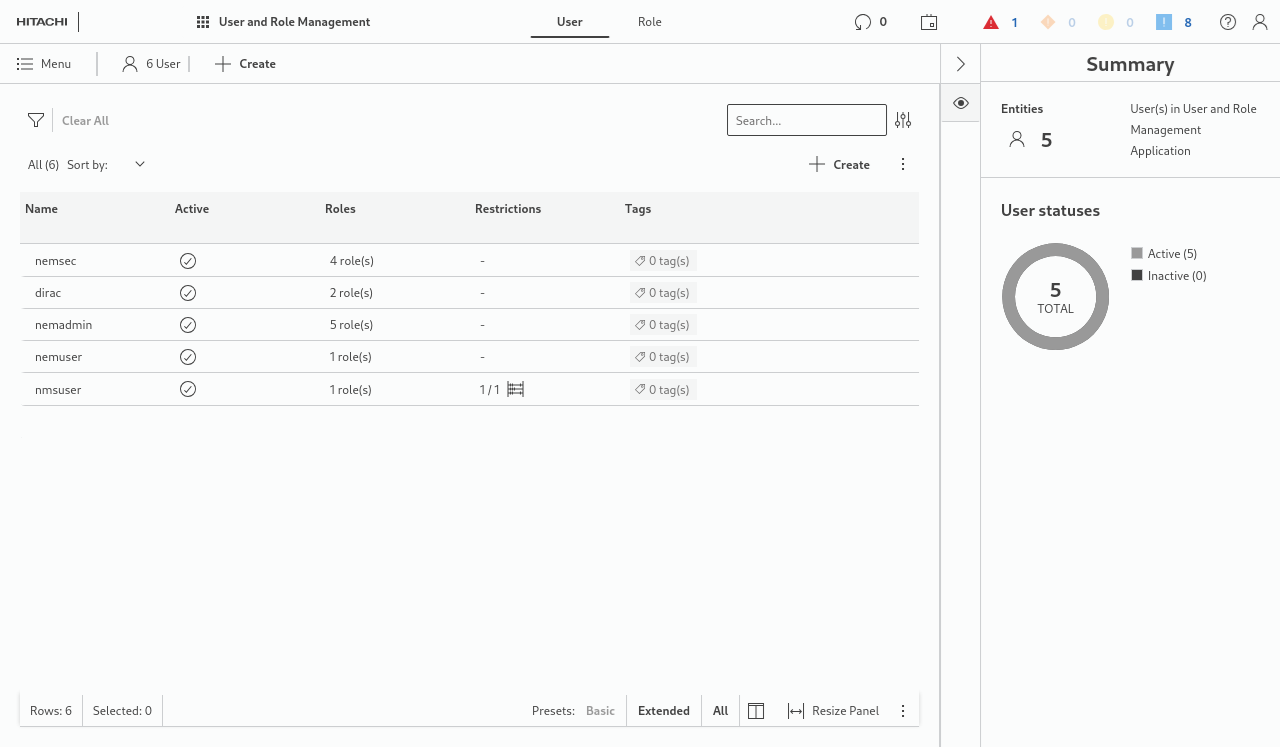
To create a new user, its username and password must be defined beforehand. One way to create a Linux local user is via Linux command line:
[user1 ~]$ sudo useradd -s /bin/bash -G nem -M nemlocaluser
[user1 ~]$ sudo passwd nemlocaluser
Changing password for user nemlocaluser.
New password:
Retype new password:
passwd: all authentication tokens updated successfully.
To add a user with a home directory, proceed as described in the user manual “FOXMAN‑UN under Linux” [1KHW002414], section Creation via Command Line.
Linux users including Active Directory defined users that belong to the group “nem” are available for selection in the “+ Create” dialog as shown in the following example, step 1.
Select a user’s name, enable its system roles and possible, already defined user-defined roles, and set it to active:
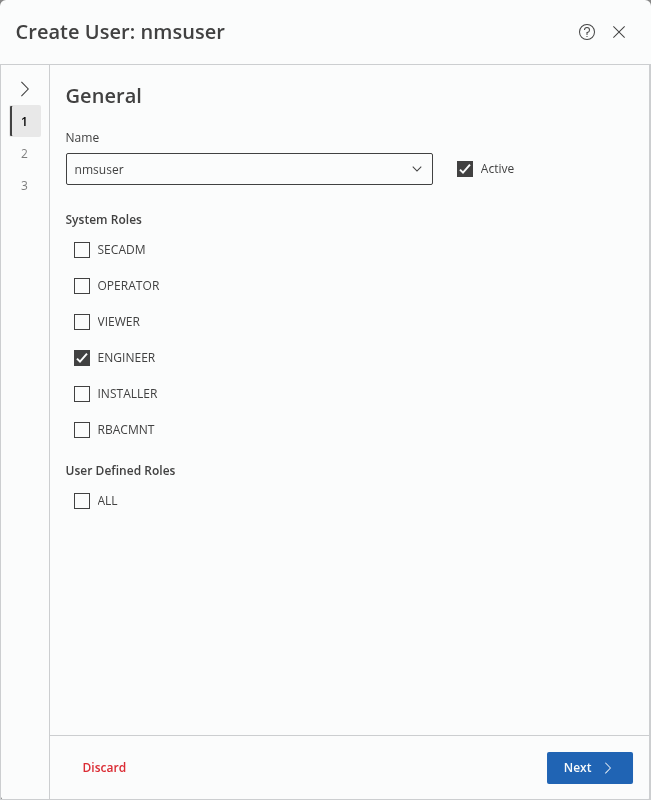
Click “Next >” to proceed to step 2.
In step 2, choose whether you want to impose restrictions on the validity of the new user’s FOXMAN‑UN account; if so, enable “Include restrictions” and add the required restriction details:
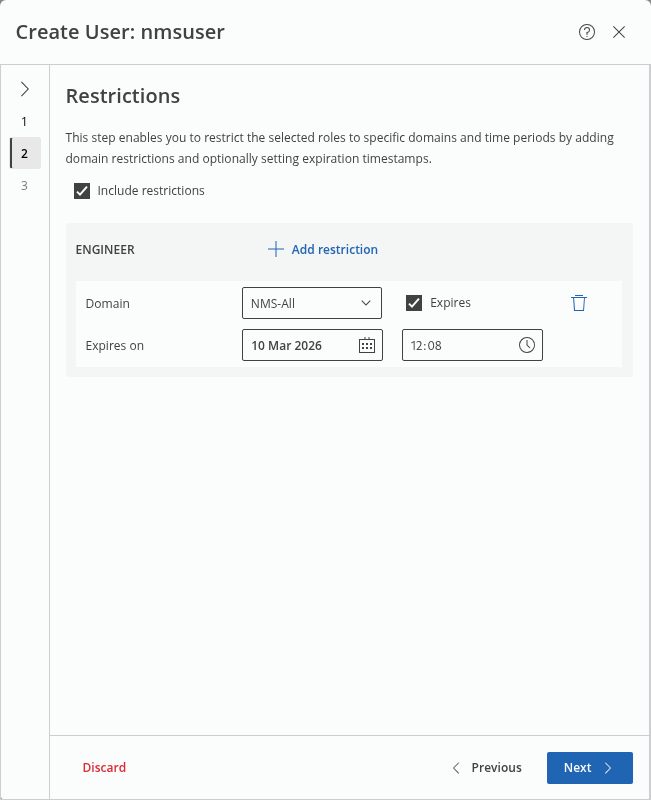
If no restrictions shall apply, leave the option disabled.
Click “Next >” to proceed to step 3.
This shows the summary. Expand each of the permission groups to see the related details.
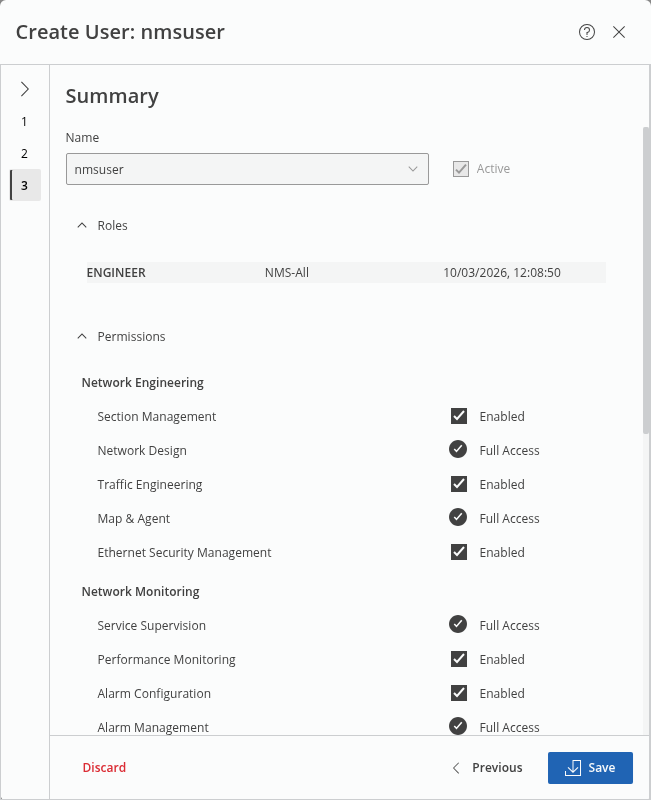
Click “Save” to conclude user creation and save the settings.