
Event List
Purpose
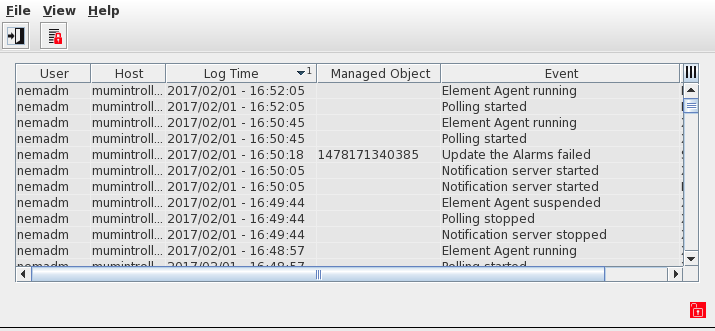
This dialog shows a list of the events occurring during the management of the network. This provides confirmation of recent activities or tracing past activities as to what, when and who.
The most recent 100'000 events are stored in the FOXMAN‑UN database and can be recalled via this dialog. The overflow is saved in event history files.
The list is dynamically updated. Events being logged are creation and deletion of agents, creation and deletion of NEs, configuration uploads and downloads for NEs, start/stop of agent, start/stop of individual polling, alarm flooding, forced polling, task creations, etc.
The list can be filtered, searched, and sorted.
Dialog image
Event List
Mandatory entries
Not applicable.
Optional entries
Not applicable.
Informational content
Dynamically updated list of events occurring during the management of the network.
Controls (buttons, menu items, etc.)
Menus
File – Exit |  | Resets the filter to unfiltered, the number of events to be retrieved initially from the database to 100, and closes the dialog. |
View – Freeze List |  | The list can be frozen. New events occurring are not added to the list till the Freeze function is turned off again. The current status is indicated in the lower right corner of the dialog window. |
View – Unfreeze List |  | Unfreeze the list when frozen. New events occurring are added again to the list. The current status is indicated in the lower right corner of the dialog window. |
Help – ? Help | Calls the FOXMAN‑UN help viewer and opens this page. |
Table Sorting and Filtering/Export and Printing
Please refer to Table Sorter section for details.
Related dialogs / windows
Not applicable.