
Pairing and unpairing of partner server(s)
Clicking on the <Pair…> button will allow the user to pair the server to which the RAT is connected with a partner server. In order the pairing operation be possible, the following conditions must be fulfilled:
• A server of type “Main” can be paired with one or several servers of type “Cold Standby” or “Warm Standby”.
• A server of type “Cold Standby” or “Warm Standby” can be paired with exactly one server of type “Main”.
• The Main/Standby functionality of the remote server that shall be paired must be enabled.
• The remote server that shall be paired must be in state “Not Running” or “Running” in case of a Main Server or in state “Standby” or “Running” in case of a Standby Server.
In the displayed <Pair Remote Server> dialog, NEM security administrator username and password, hostname, and IP address of the remote server must be provided.
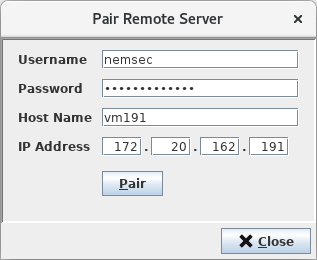
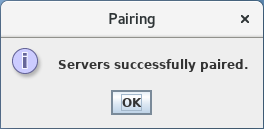
Clicking the <Pair> button on this dialog will finally perform the pairing operation. Successful pairing will be confirmed through a message box.
An existing pairing of two servers can also be undone. The <Unpair> button does offer this functionality. Again, some conditions must be fulfilled:
• The remote server that shall be unpaired must be in state “Not Running” or “Running” in case of a Main Server or in state “Standby” or “Running” in case of a Standby Server.