
Main/Standby Settings Dialog
Overview
Clicking on the <Main/Standby Configuration…> button on the Main Window of the RAT will open its <Main/Standby Settings> dialog.
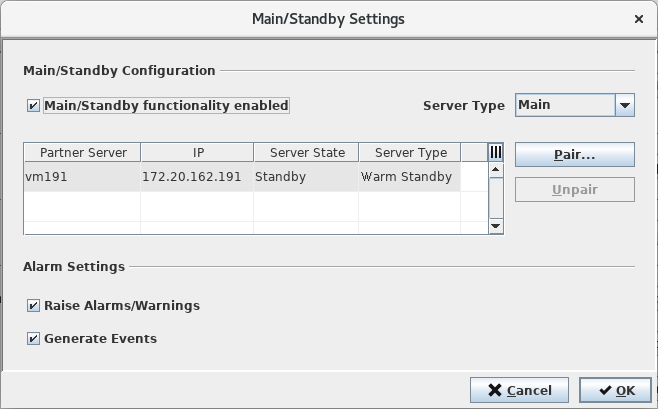
The dialog allows the following settings on the server to which the RAT is connected:
• activation of the Main/Standby functionality
• definition of the Server Type
• pairing or unpairing of a partner server
• activation of alarm/event generation
To save all settings done on the dialog, the <OK> button must be clicked. This will write all settings permanently to the server to which the RAT is connected and close the dialog.