
The Select NE Dialog
The Select NE dialog is called via the A/Z End NE icon of New Transport Entity dialog shown on The TE Endpoints.
The Network Element (NE) that contains the unit required to establish the data service, now has to be defined.

Please note:
If the NP license specifies a specific number of NEs to be reported to NP, the listed NEs are members of the NP_nodes Domain.
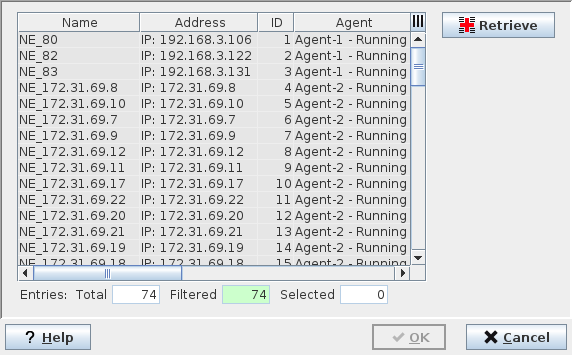
The NE Browser (a End TP)
The following menu points are available:
Retrieve | Refreshes the NE list by starting the scanning process of all available NEs (members of the NP_nodes Domains) in the network. |
Help | Calls the FOXMAN-UN help viewer and opens this page. |
OK | Selects the NE and closes the dialog. |
Apply | Selects the NE without closing the dialog. |
Cancel | Closes the dialog without making any changes. |
The described procedure has to be repeated for the other missing Endpoint.
After the endpoint NEs have been defined, the Unit and the SubUnit that belong to these NEs now have to be chosen.