
Base Installation
Double-click the installer for FOXMAN-UN client for Windows®: “FOXMAN-UN_18.0.0.exe”. It automatically starts the Setup Wizard.
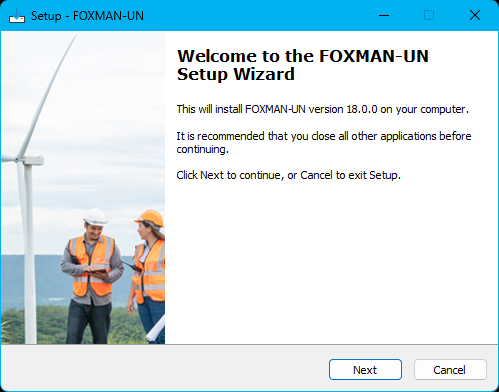

Please note:
Depending on the security settings of the PC and the location of the source (network drive, Hitachi Energy Publisher), a security warning may be displayed prior to this dialog. To continue, allow the installation program to run.
You need to accept the license agreement.
After the license agreement dialog the destination directory and the name of the program folder are presented.
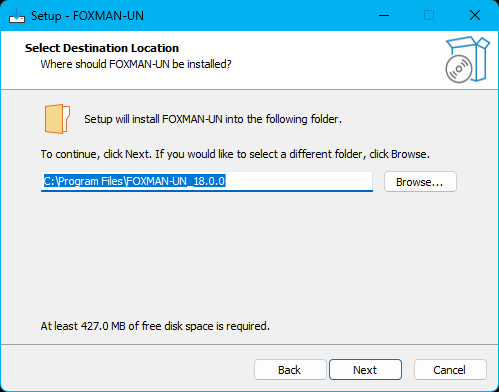
The default destination for the installation of FOXMAN-UN is:
C:\Program Files\FOXMAN-UN_18.0.0
If required, modify the destination (not recommended) and continue to the definition of the start menu folder:
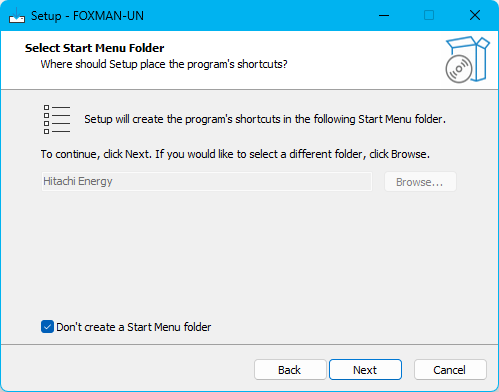
By default, no start menu folder is chosen. If you disable “Don’t create a Start Menu folder”, you can define or modify the start menu folder.
After this you are prompted with the option to create a desktop shortcut (no image provided here).
Click “Next”, which leads to a confirmation dialog showing again both destination location and start menu folder:
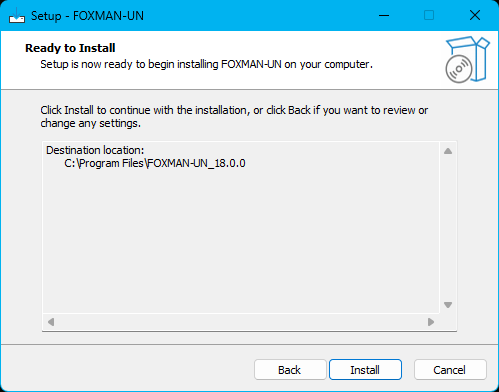
Confirming with “Install” starts the copying of the files and at the end will register the application.
At the end of the FOXMAN-UN GUI installation the installer will automatically continue with the installation of the FOXCST, which is per default a part of the FOXMAN-UN Client.
You may now continue with NEM login (see Steps to commission FOXMAN-UN client for Windows®) or conclude the installation without starting NEM login.