
Launching
InfluxDB Dashboard creation can be triggered from ENP GUI as shown in the figure below:
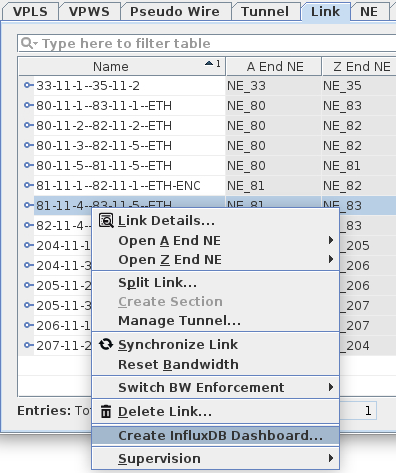
For VPWS, switch to the VPWS tab; for links, switch to the Link tab and select the ‘Create InfluxDB Dashboard...’ menu entry.
The current implementation relies on Remote Executor. Therefore, a Remote Executor window will pop up. The user then needs to click the ‘Execute’ button.
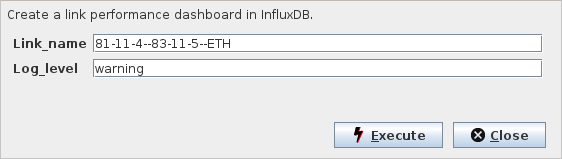
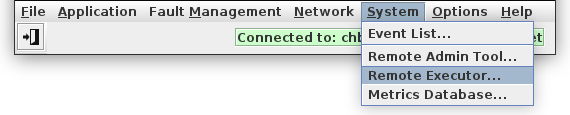
Feedback and error messages are provided in the Remote Executor, which is launched separately from the NEM Desktop:
The ‘Executions’ show whether ‘Create Link Performance Monitor’ completed successfully (State – ‘FINISHED’):
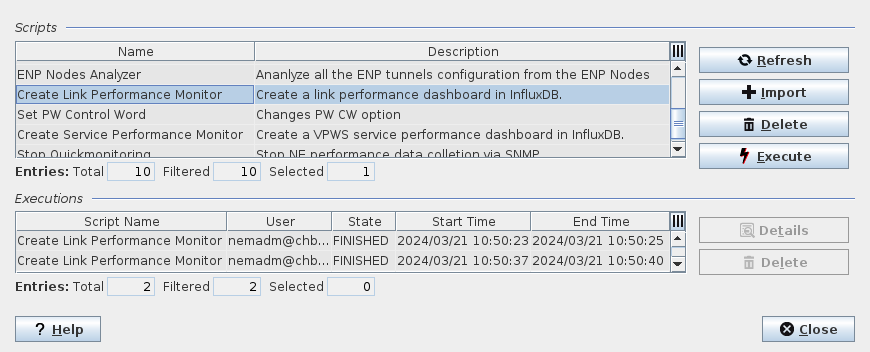
Note that it is not required to have the Remote Executor open; it can be used to get the feedback of successful creation. Also see troubleshooting.