
Creating end-to-end Circuit

To create an end-to-end TDM service using one of the previously created Teleprotecton services, a specific Circuit Service creation wizard is available.
Once you have an appropriate Teleprotecton service configured (and deployed), click on the “+ Create” button in the ribbon of the “Circuit Service” tab. This will start the Circuit Service creation wizard.
Follow the steps in the wizard:
1 General
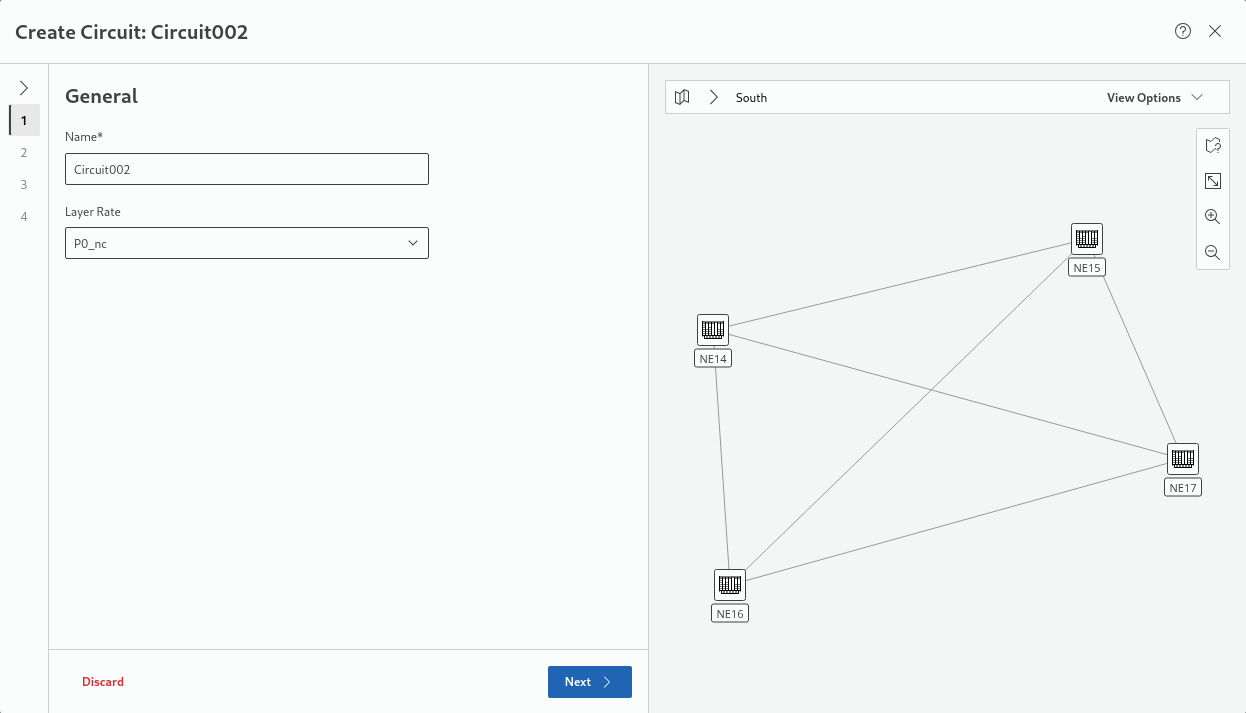
− Enter a service name.
− Select the required layer Rate (P0_nc, P12)
→ click “Next >” to proceed.
2 Endpoints
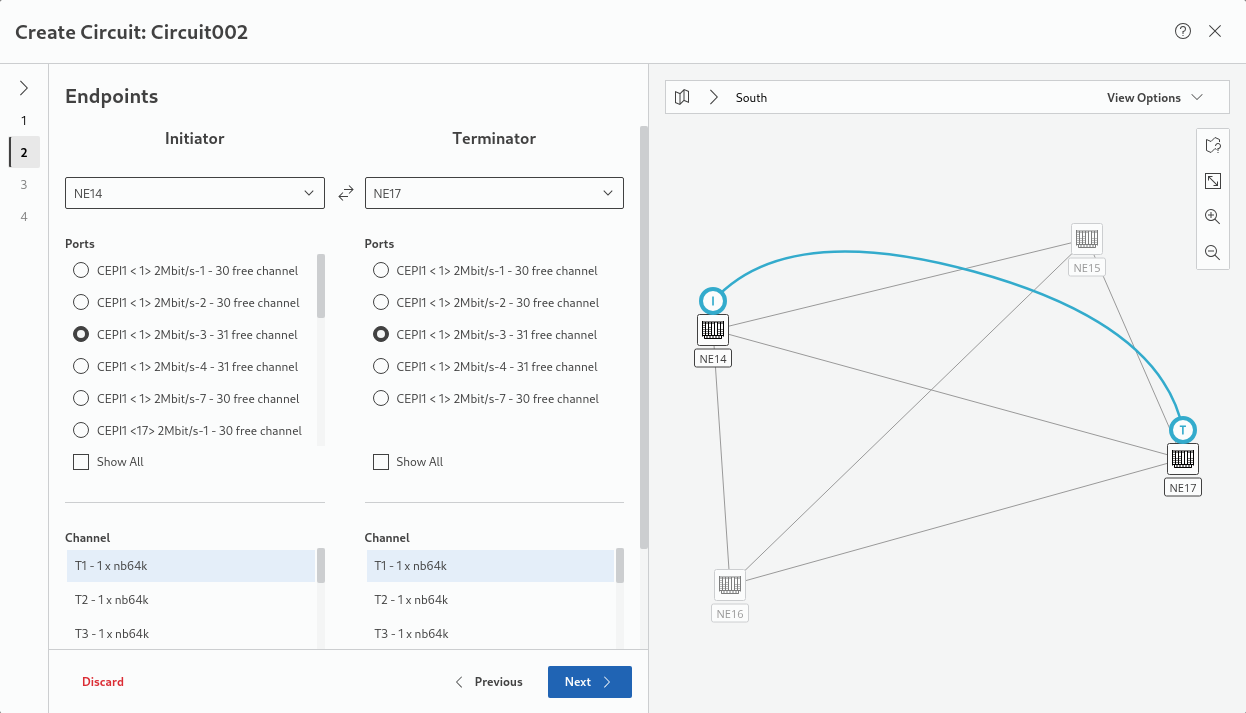
− Select the Initiator and Terminator NEs.
− Select a port from the list of suitable ports for Initiator and Terminator NEs.
Note that only ports with matching termination mode can be selected. If enable “Show All”, ports include such with any termination mode are shown for information purposes only.
− Scroll down and select the suitable channel(s) from the list of channels for Initiator and Terminator NEs.
→ click “Next >” to proceed.
3 Teleprotection Service
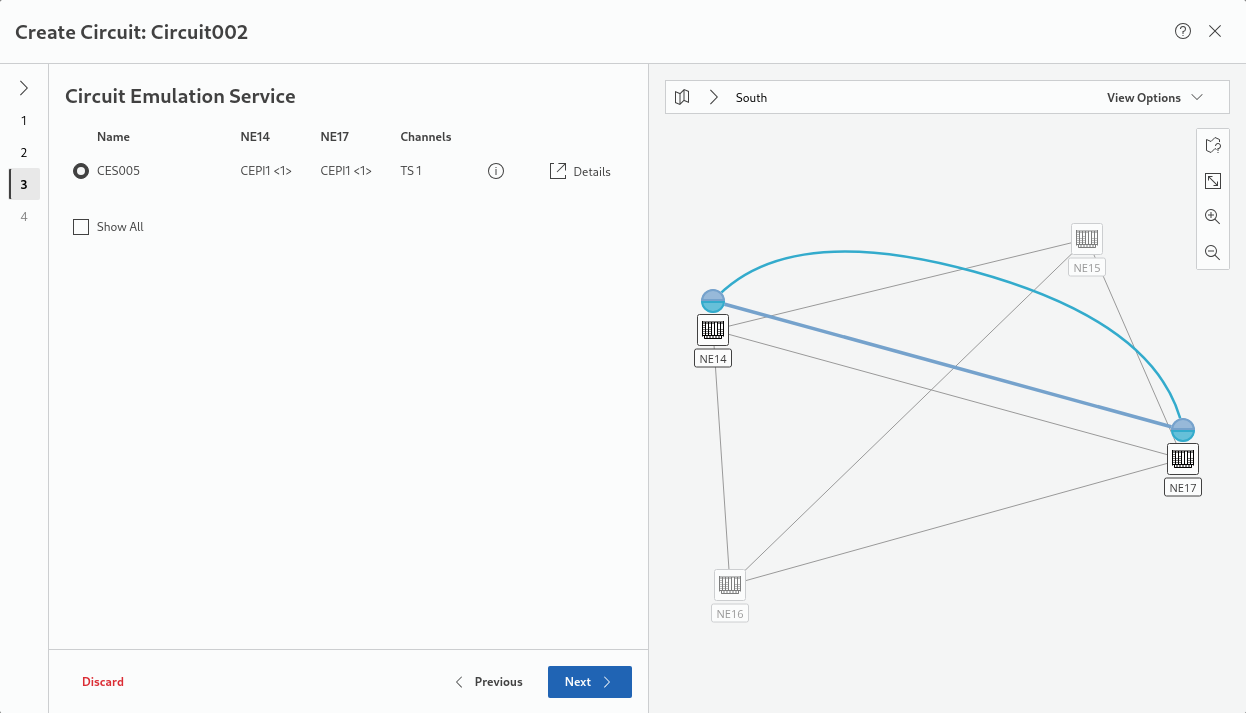
− From the list of available services, select the required service. Note that only services with a checkmark in the “Available” column can be selected.
→ click “Next >” to proceed.
4 Summary
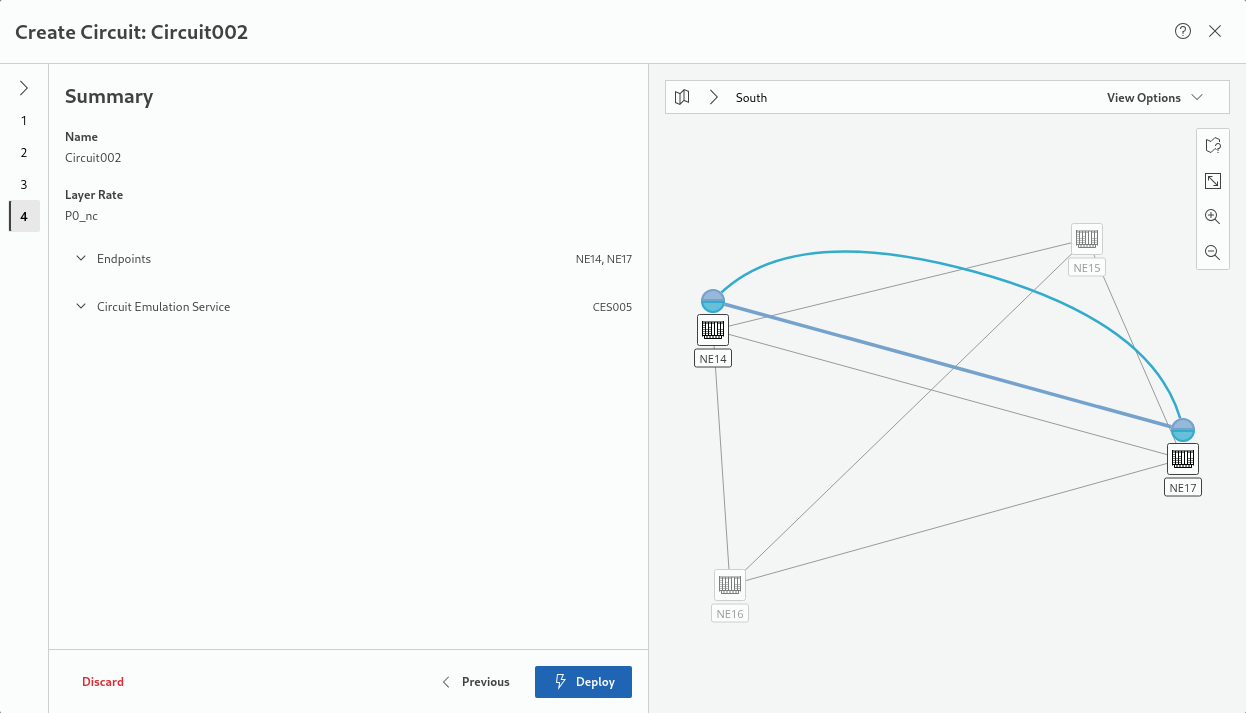
− Under “Endpoints” and under “Transport Services” you can verify the settings; once these are OK,
→ click “Deploy” to deploy the circuit service configuration to the network.
→ This will show a deployment status while the button in the lower right corner will display “Deploying...”
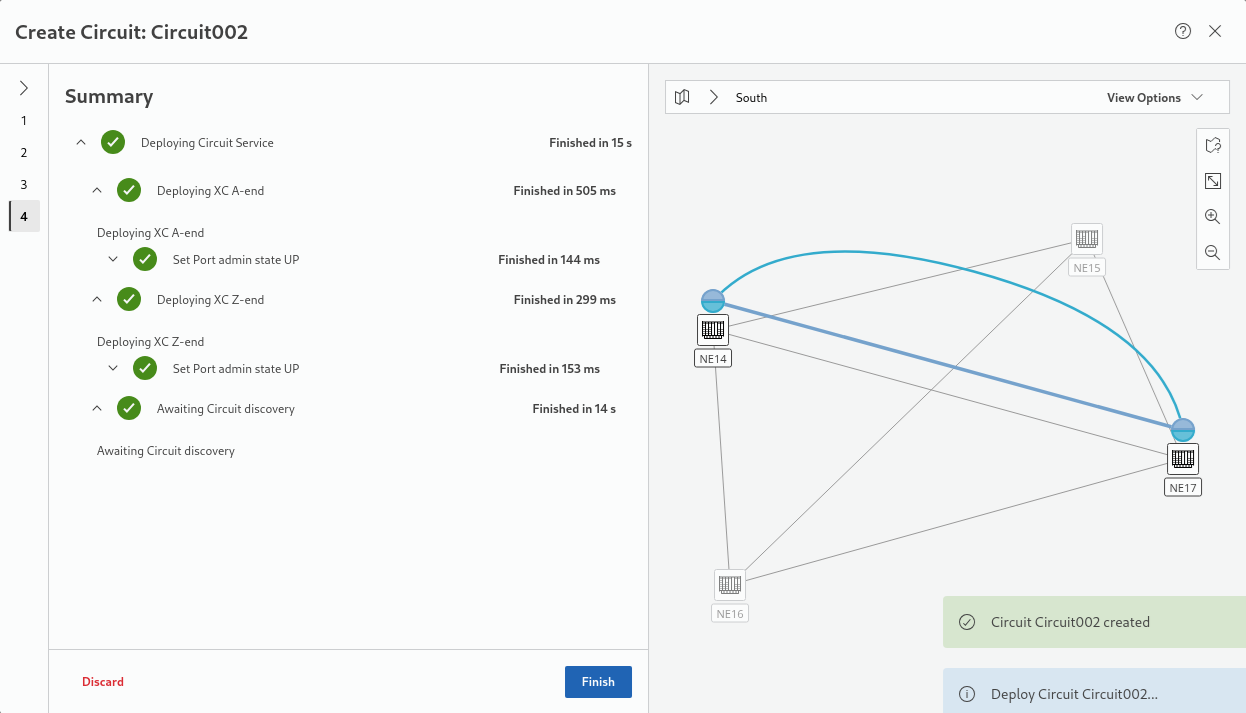
→ Once successfully completed, the final deployment status is shown and the wizard can be closed with the “Finish” button.
In case an error during deployment occurs, the errors are shown here.
In case an error during deployment occurs, the errors are shown here.
[] User Manual “Web UI”