
Teleprotection Service Information
An existing Teleprotection service, when selected from the table or in the map, provides Summary information in the right panel, such as
• Admin State
• Issues, with the number of issues per severity (Critical, Major, Minor and Warning)
• Status information about Transport entities and tunnel entities
• General information, such as
− Name,
− Initiator,
− Terminator,
− Protection Mode.
Further details are provided in the right panel either from the drop-down field with
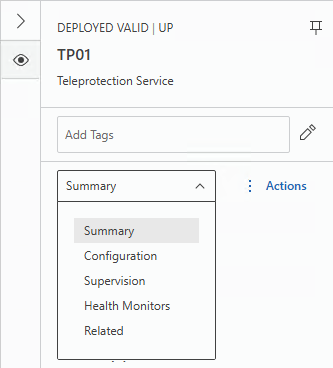
• Summary (see above),
• Configuration,
• Supervision,
• Health Monitors,
• Related, with
− Summary (shows the number of involved sections, NEs, units, and ports),
− Using (shows the number of involved VPWS, PWs, tunnels, service profiles, class types, sections, NEs, and ports; each of which can be further expanded for more detailed information and collapsed again to get back to the overview),
− Used by (shows the number of circuit services; can be further expanded for more detailed information and collapsed again to get back to the overview).
For a complete overview on the selected service, click the “Details” button  in the ribbon.
in the ribbon.This will open the details page with a structured view of all service details.
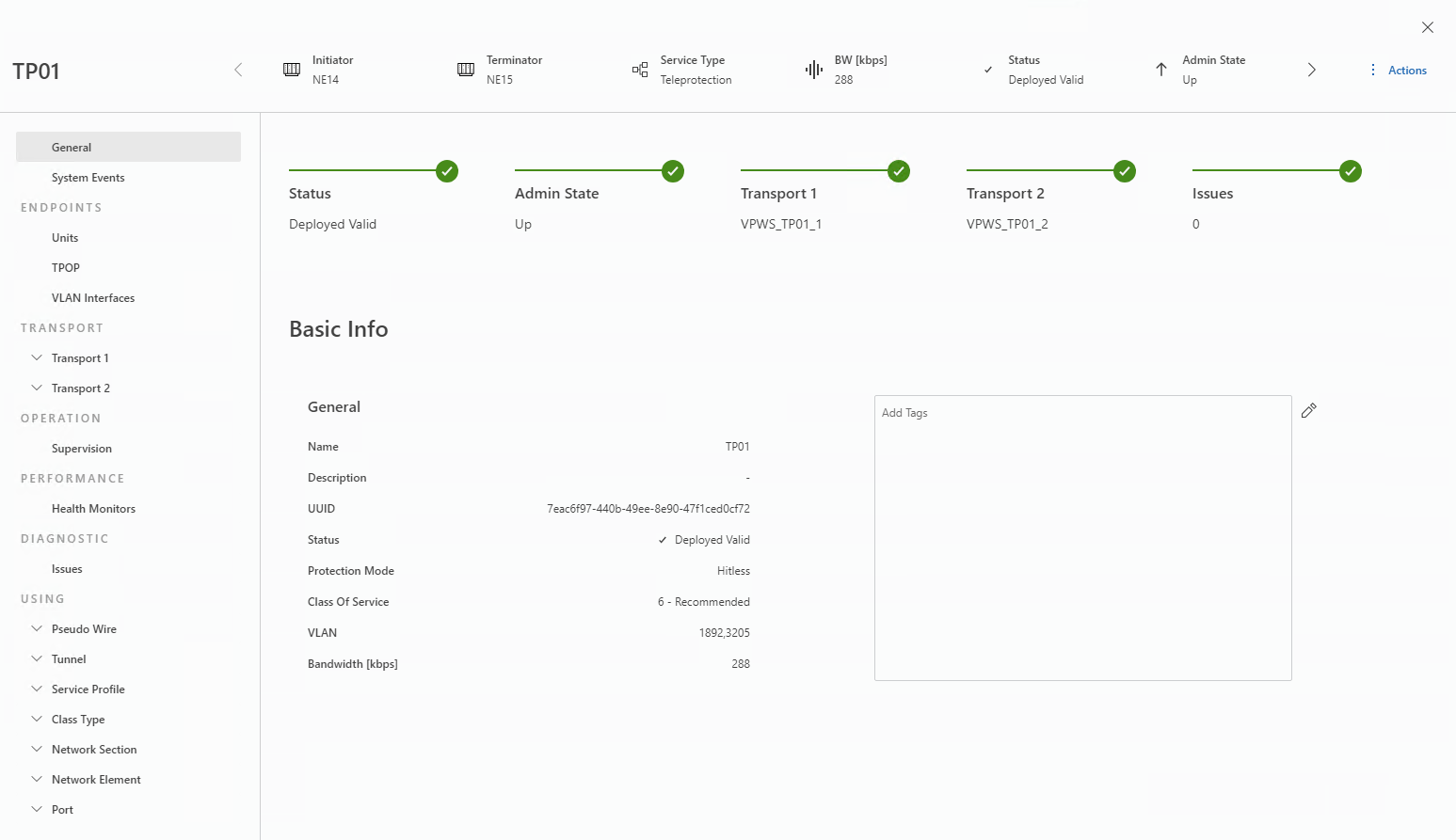
The details page can be closed by clicking on the close ( ) icon in the upper right corner. This will return you to the Teleprotection app.
) icon in the upper right corner. This will return you to the Teleprotection app.For a single selected Teleprotection from the entity browser, via the context menu, you can also
• Pin the selected service to add it to the icon bar of the details panel.
• Open the Initiator or Terminator NE in the local craft terminal (FOXCST) with the required user class, or open the Initiator or Terminator alarm list.
• Modify the service.
• Delete the service.
• Change the service admin state.
• Refresh the key (if transmitted over an encrypted tunnel).
• Enable, disable, resume or pause service supervision.
For multiple selected items from the left-hand list, via the context menu, you can also
• Delete the services.
• Change the services admin state.
• Refresh the key (if transmitted over an encrypted tunnel).
• Enable, disable, resume or pause service supervision.