
Managing Pinned Elements
The User can pin any details panel and get back to it on demand without need to reselect in the entity browser. To pin an element, the user can:
• click “pin” icon in the header of the details panel or
• select “pin” from contextual menu after right mouse button click in the entity browser.
To Unpin Details Panel from Details Navigation Bar, the user can
• click the “Unpin” button in the header of a pinned element’s details panel;
• click close button in the top-right corner of the single tile in the details navigation bar;
• click “unpin” from the context menu after right mouse button click on the particular entity’s row in the entity browser.
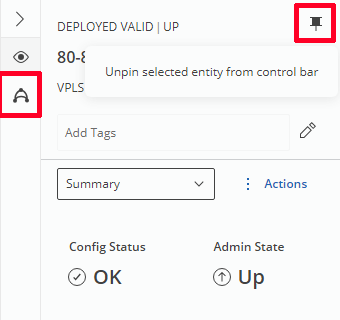
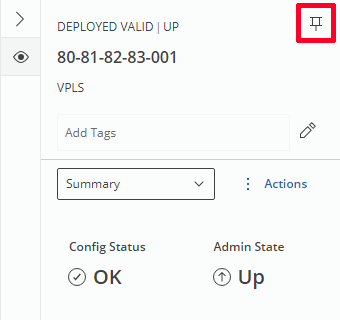
Left: Element is pinned to Navigation Bar, Right: Element is unpinned
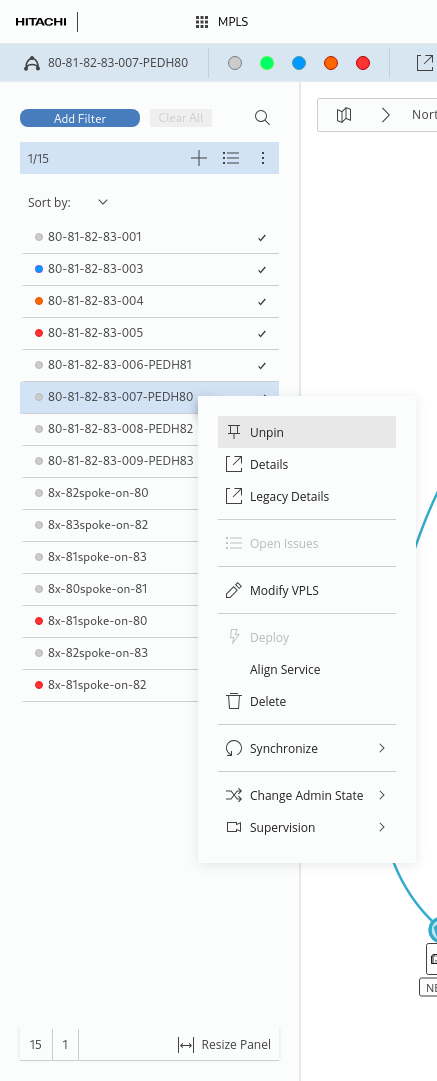
Elements can be also pinned and unpinned from the Entity Browser