
Main View (Map)
The map component is central part of the applications. It provides a visualization of network and various entities within it. It focuses on providing network-wide context of information and allows to correlate various data (e.g. network configuration data with fault management). Moreover, it enables to compare different configurations against each other and provides a way to analyze potential configuration bottlenecks. By default information on map is reduced to domain-specific language, however it can be extended or even further reduced to cover the users’ needs.
There are some elements within the main view:
• Map selector bar – allows to change the map that is presented (map selection is presented in form of breadcrumbs allowing the user to quickly jump between some maps that are in common context), and to zoom to selection which will automatically zoom to show all selected items.
• Toolbar – allowing basic interactions with map (like zoom in/out, fit to content) and opening the legend panel.
• Legend Panel – presenting explanation of visual language of the map.
The main view is strictly combined with the entity browser and the details panel – it allows the user to visualize any object selected from the entity browser. Some objects (network elements and sections) can be additionally selected directly from the map, resulting in providing their details in the details panel.
The main view can be impacted by interactions from multiple components:
• From the entity browser – by selecting entities
• From the ribbon – by modifying view using the global view options
• From the details panel – by turning on/off visibility of related elements in the “Related” tab
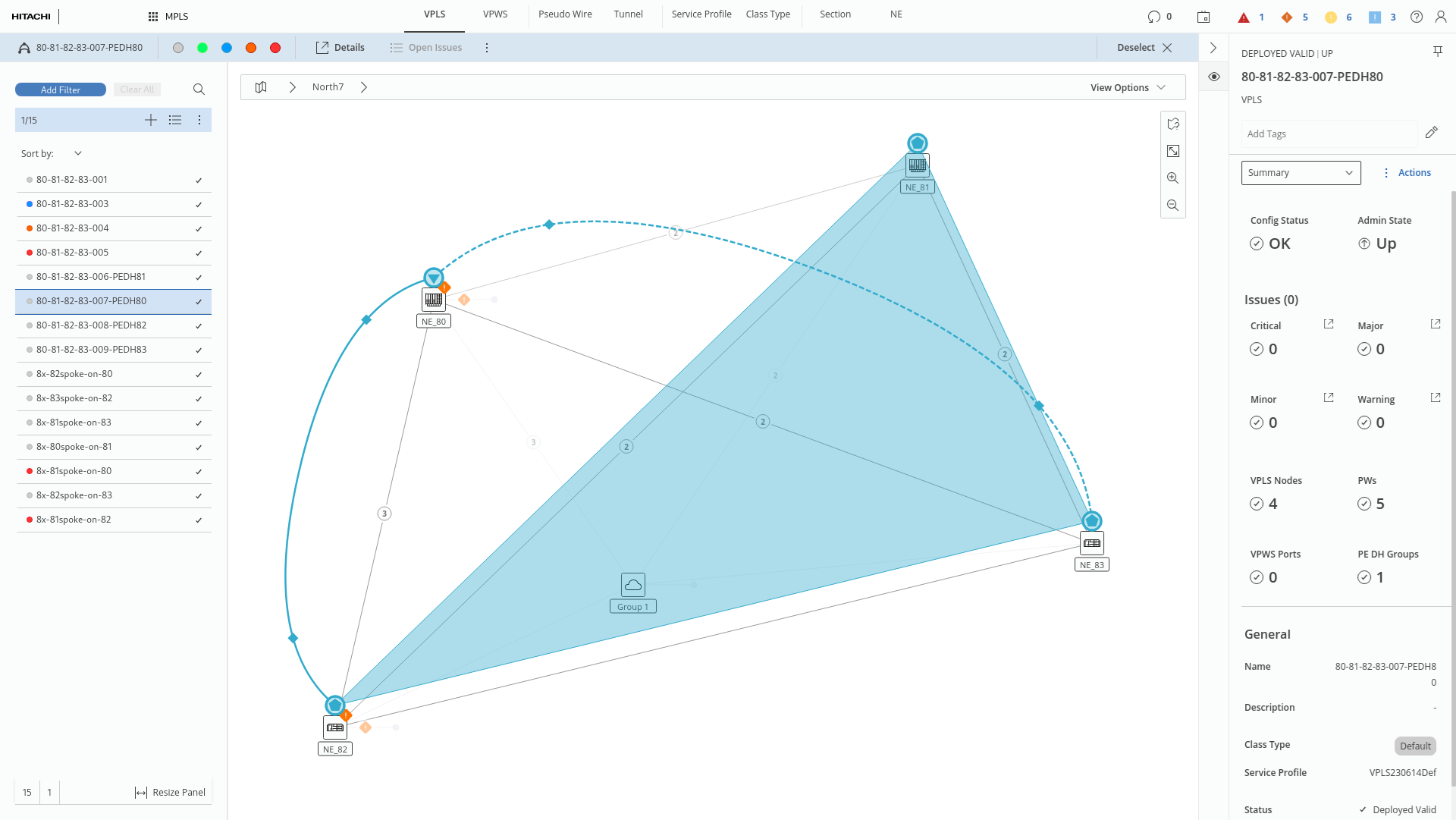
Map with selected service and 3 enabled view options