
Common Header
The header is a global, shared component presenting universal information. It consists of (from left side):
• Global title – company and application name
• Application name and application selector – stating the name of the application currently opened and allowing the user to access condensed homepage panel. The panel allows the user to change the application or get back to the homepage window.
• Navigation within the application – allowing the user to change tabs (content of the view) and go through the application focusing on different aspects or entity types.
• Loading indicator – presenting the user information that the content of the applications is being loaded.
• Task summary – presenting a few ongoing tasks in the system and allowing the user to change the content of view beneath to the task visualization mode. Tasks states description is placed in further chapters of this document.
• Alarm summary – presenting information about all new and not-acknowledged alarms in the network; allowing the user to change the content of view beneath to the alarm visualization mode. Alarm states description is placed in further chapters of this document.
• Help – providing access to the system documentation.

Common Header – elements from left to right: Global Title and brand / Application selector and name in closed state / Navigation tabs / Task Summary / System Events / Alarm Summary (critical, major, minor, warning) / Help / User Preferences.
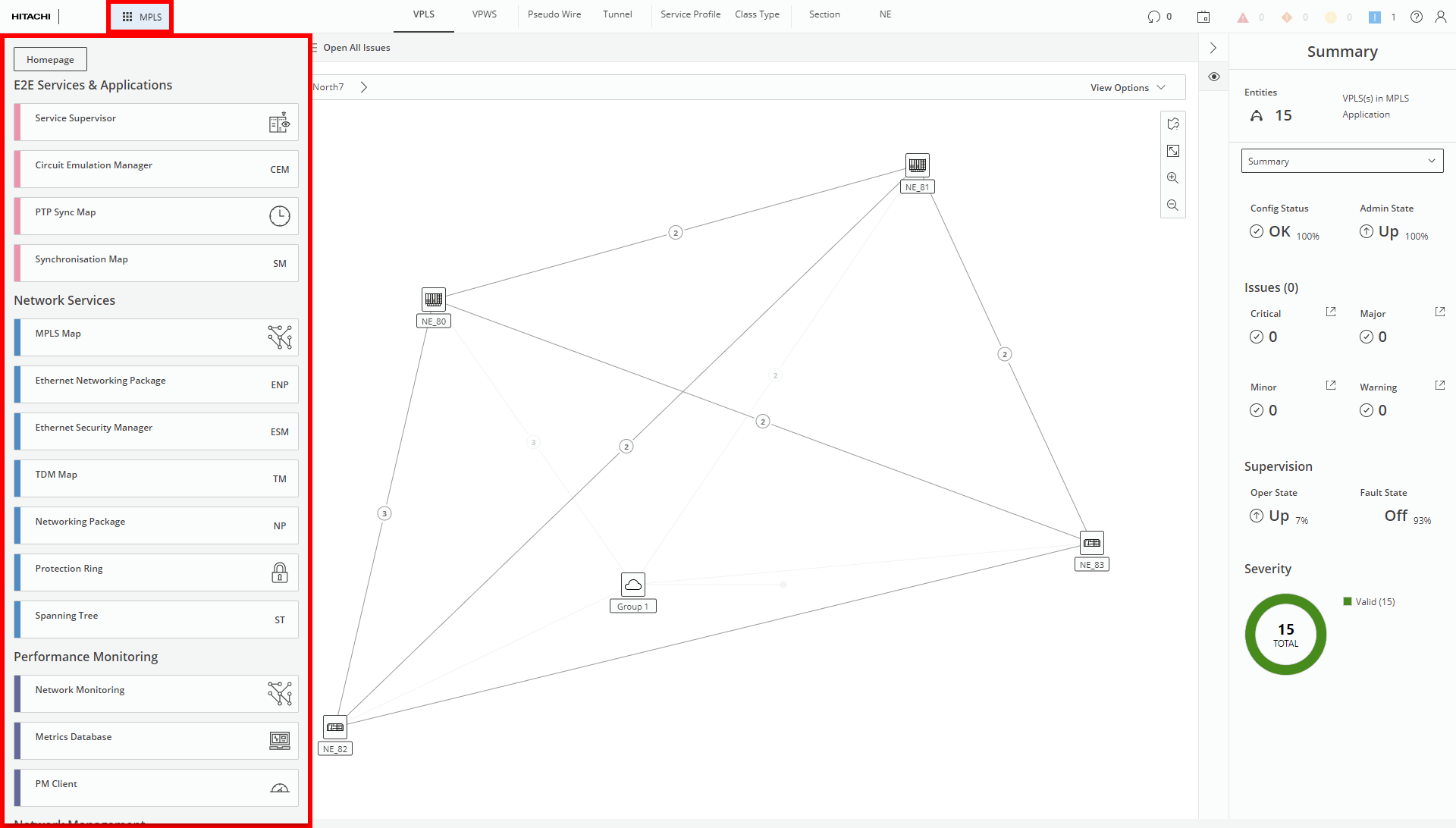
Application selector in opened state (marked red)