
Crontab File Editing
The crontab file contains jobs (cronjobs) that have to be executed on a regular time based schedule. FOXMAN‑UN creates two such jobs at installation time:
− “logcycle” rotates the alarm and event log files every day at 23:55.
− “nettimesynch” synchronizes the time of all NEs in the network every day at 03:01.
FOXMAN‑UN cronjobs can be edited by executing the command “crontab -e” as an administrator. This opens an editor showing the FOXMAN‑UN cronjobs:
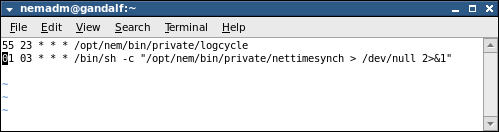
An existing cronjob can be stopped by simply turning it into a comment. Add a # in front of the command line as shown for the time synchronization in the screenshot below:
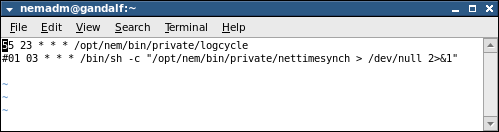
The job can be reactivated by removing the # in front of it.
The FOXMAN‑UN cronjobs can be listed by executing the command
crontab -l
as an administrator.