
Move NE
Purpose
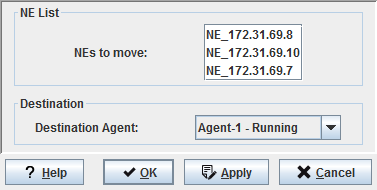
The “Move NE…” command allows changing the agent assignment of one or several NEs. The agent that the selected NEs are moved to must have been previously created, must provide access to the NEs via the management network, and must support the type of the NE(s) to be moved.
Dialog image
Move NEs
Mandatory entries
Destination Agent | The agent that the selected NEs are being moved to. |
Optional entries
Not applicable.
Informational content
Not applicable.
Controls (buttons, menu items, etc.)
? Help | Starts the FOXMAN‑UN help viewer and opens this page. |
OK | Applies the modifications and closes the dialog. |
Apply | Applies the modifications without closing the dialog. |
Cancel | Closes the dialog without applying the modifications. |
Related dialogs / windows
Not applicable.