Create Tunnel Mesh
Purpose
The “Create Tunnel Mesh” wizard allows you to create a tunnel mesh that spans over several NEs / links. The tunnels mesh is based on one specific service profile and uses one specific Class Type.
The wizard includes the following steps.
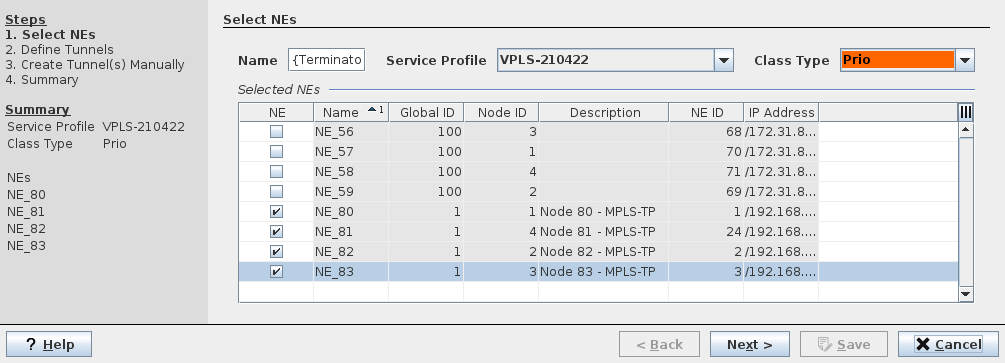
Step 1: Select NEs
Name
Service Profile
Class Type
Select NEs from table of selectable NEs
Step 2: Define Tunnels
Select Tunnels to be used for the mesh.
Option “Search Matching Tunnels” is on by default.
Existing tunnels can be selected; missing tunnels can be created and routed manually or automatically. The “Mode” column shows whether a tunnel is selected or not.
Details of a selected tunnel can be shown (“Details Tunnel…”).
“Automatic Routing” creates the mesh automatically
Step 3: Create Tunnel(s) Manually (only if required)
Create tunnels manually that are not yet existing.
Step 4: Summary
Summary is shown, click “Save” to save the tunnels.
Dialog image
Create Tunnel Mesh (Wizard)