Switchover with one Partner Server
If the button <Make This Server Active …> is clicked and the server is already active (its core services are already running) and the partner server is not active (its core services are not running) this will be indicated through a corresponding message box.
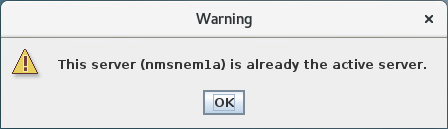
Clicking the <OK> button will terminate the activation operation (nothing to be done).
If the <Make This Server Active …> button is clicked and the server is already active (its core services are already running) and the partner server is also active (its core services are also running) this will be indicated through a corresponding message box.
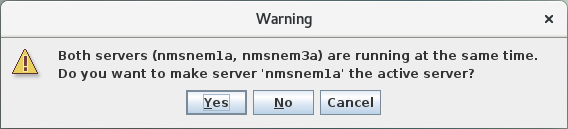
Clicking the <Yes> button will open the <Switchover settings> dialog.
If the <Make This Server Active …> button is clicked and the server is not yet active (its core services are not running) the <Switchover settings> dialog will open.
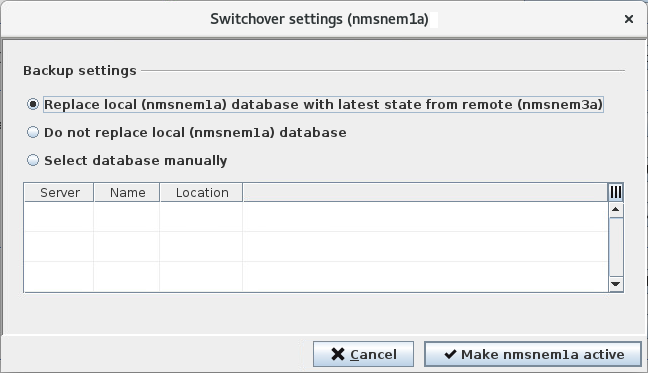
The <Switchover settings> dialog allows for easy activation of the server to which the RAT is connected. Activation on the one hand signifies to start up the server's core services if they are not yet running and on the other hand to shut down the core services of the partner server if they are running.
Before the actual activation procedure can take place, the user must decide how to cope with the local database. Three options are available for selection:
• Replace local database with latest state from remote
The database of the server that shall be activated will be replaced with the latest one from the partner server.
• Do not replace local database
The database of the server that shall be activated will not be replaced at all.
• Select database to replace local database with manually.
The database of the server that shall be activated will be replaced by one chosen by the user. Databases available on the server to be activated or on its partner server are at offer.
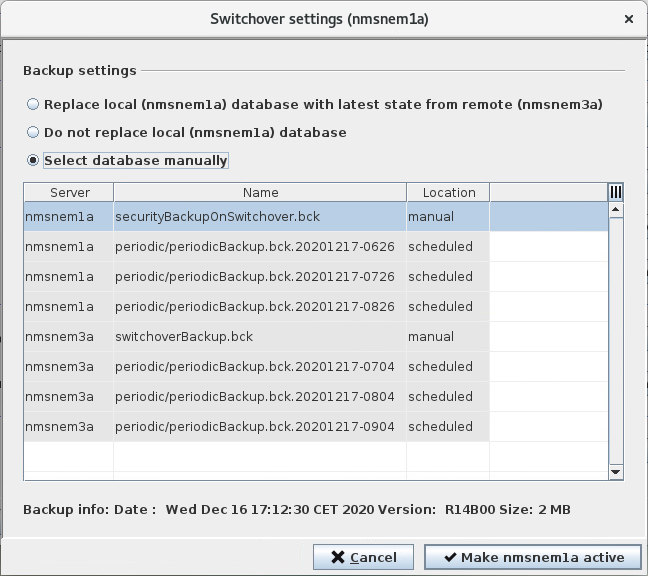
After the user has decided upon what shall happen with the local database, they can press the <Make xyz active> button on the <Switchover Settings> dialog. In case the local database will be replaced, a warning dialog, stating that the currently used local database will be overwritten, must be confirmed. Then the following steps will be carried out for the activation of the server depending on the different scenarios how to treat the local database.
Activation (switchover) steps on Local Server (server to be activated) and Partner Server | Remark | |
|---|---|---|
Option “Replace local database with latest state from remote” | 1 Backup database on the partner server. 2 Transfer partner database backup from the partner to the local server. 3 Take a security backup of the local database. 4 Restore the partner database backup on the local server. 5 Stop the core services on the partner server if they are running. 6 Start the core services on the local server if they are not already running. | Step 1: This database backup can be found on the partner server under /opt/nem/var/backups/manual/switchoverBackup.bck Step 3: This database backup can be found on the local server under /opt/nem/var/backups/manual/securityBackupOnSwitchover.bck REMARK! Only one backup of each type will be kept (backups will be overwritten). |
Option “Do not replace local database” | 1 Stop the core services on the partner server if they are running. 2 Start the core services on the local server if they are not already running. | |
Option “Select database manually” | 1 Take a security backup of the local database. 2 Restore the database backup selected by the user on the local server. 3 Stop the core services on the partner server if they are running. 4 Start the core services on the local server if they are not already running. | Step 1: This database backup can be found on the local server under /opt/nem/var/backups/manual/securityBackupOnSwitchover.bck REMARK! Only one backup will be kept (backup will be overwritten). |
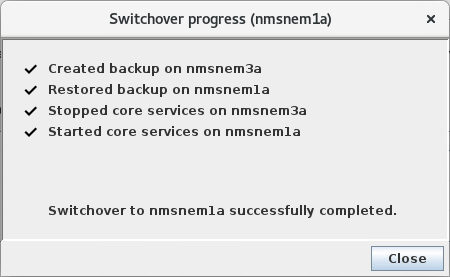
The switchover progress is shown in a corresponding dialog where most important steps according to above table are listed and a successful switchover operation is finally indicated.