
Schedule Periodic Database Backup Dialog
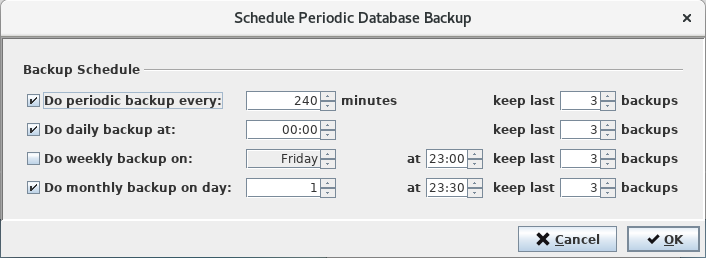
Clicking on the <Schedule Periodic Database Backup…> button on the Main Window of the RAT will open its <Schedule Periodic Database Backup> dialog. The dialog allows you to schedule a periodic database backup for the server to which the RAT is connected.
Backups can be scheduled:
• Every x minutes,
• Daily at a specific hour,
• Weekly on a specific weekday,
• Monthly on a specific day.
Any combination is possible as shown below.
For real Main/Standby Solution setups it is recommended to schedule at least one periodic backup a day.

Please note:
If a monthly backup is scheduled for day 29, 30 or 31 and the month in which the backup shall be done does not have that many days, the backup will be done the last day of that month. Example: Monthly backup scheduled for day 31. In June the backup will be taken on day 30 as June only has 30 days.