
NEM Desktop
Successful login to a Server from the NEM Login Window of a FOXMAN-UN client will start the NEM Desktop. In the lower right corner of the NEM Desktop Window a status field is shown, indicating to which server (host) and server type the client is currently connected. The green color of the field indicates a successful connection to the server.



If both the Main Server and the Standby Server are running at the same time, the Server status field is colored orange.
If the connection to a server is lost, a message box will be shown informing the user correspondingly. The status field of the NEM Desktop Window will display the text “Connection Lost” and its color changes from green to red.
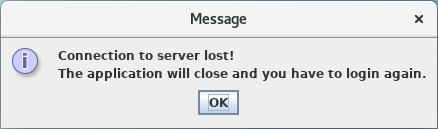

Clicking on the <OK> button of the message box will close the NEM Desktop Window and show the NEM Login Window.