Bring up Main Server in operational state
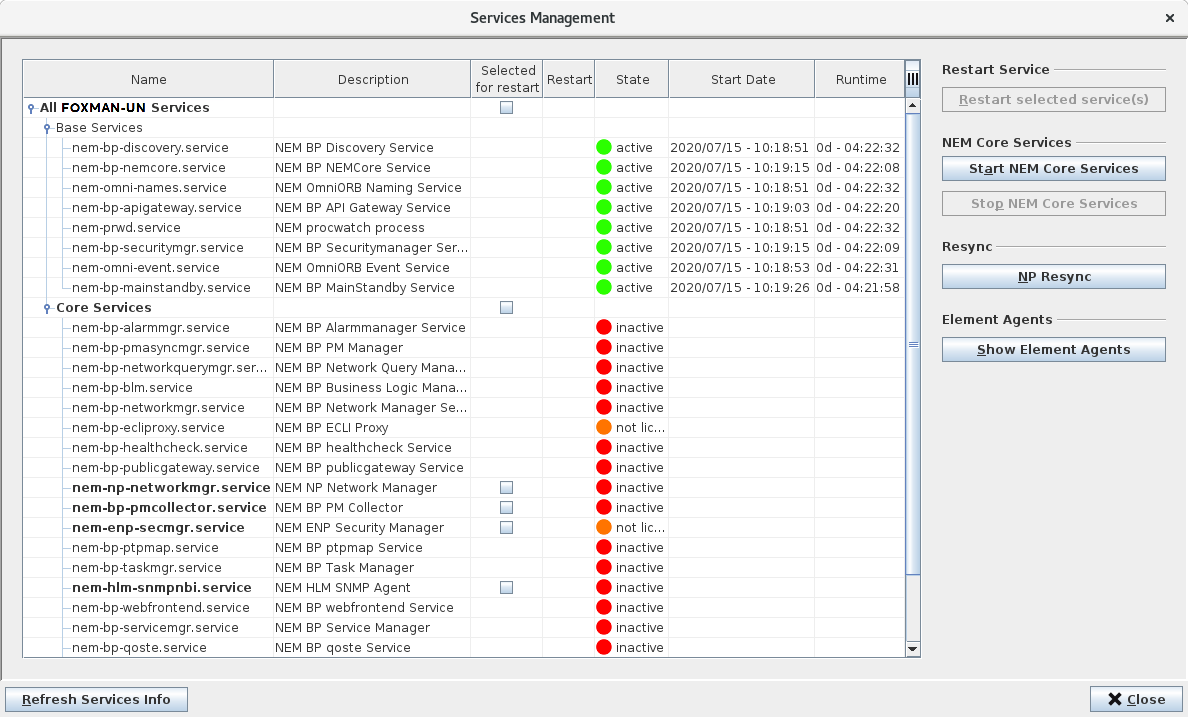
Main and Standby Server are paired now. On both servers, only the base services are running. In this state one speaks of state “Standby” for the Standby Server and state “Not running” for the Main Server. Whereas for the Standby Server this is the desired state, the Main Server must be brought up to state “Running”. This can be achieved by starting the core services on the Main Server, either directly on the Main Server via console command “nemstart” or again by means of the Remote Admin Tool. Thereto, on the Remote Admin Tool” which is connected to the Main Server, click on the <Start/Stop Services…> button. The <Services Management> dialog will show up. Then click on the <Start NEM Core Services> button and wait until the core services have started up. Close the dialog.
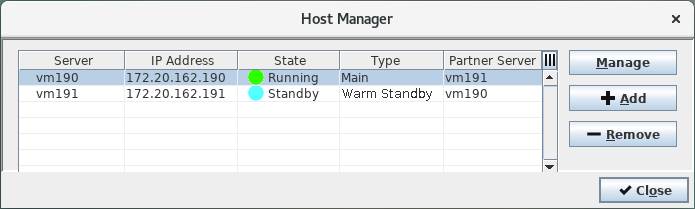
Now both the Main and the Standby Server are in operational state. The Main Server is in state “Running” and the Standby Server is in state “Standby”. This can also be verified in the Main Server’s <Host Manager> dialog.