
Removing L2 Configuration
This can be done in the CE tab or in the CE Detailed View.
On CE tab, just open the context menu, and click on “Disable L2”:
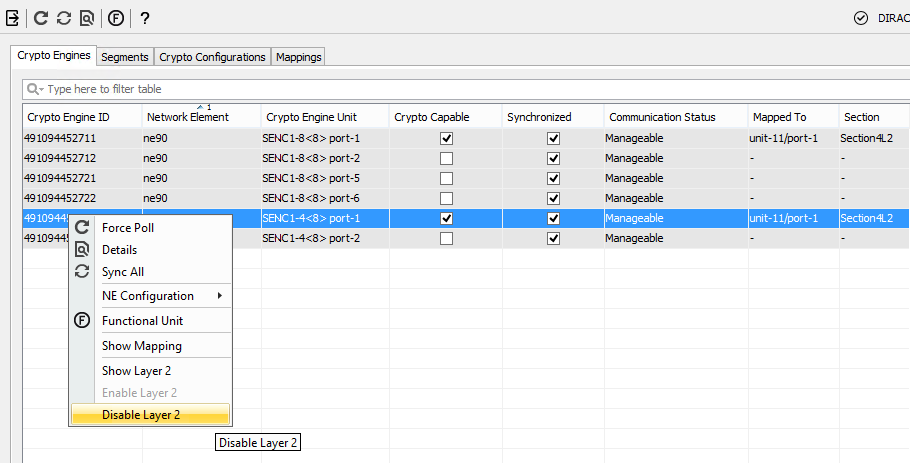
Context Menu on CE to Disable L2 Encryption
You will get a warning window to which you need to agree:
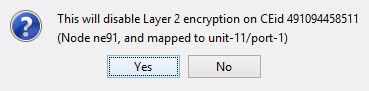
Confirm Disabling of L2 Encryption
The procedure is similar if you disable L2 encryption from CE Details window, but in this case you need to click on the trash can button near the Layer 2 configuration.
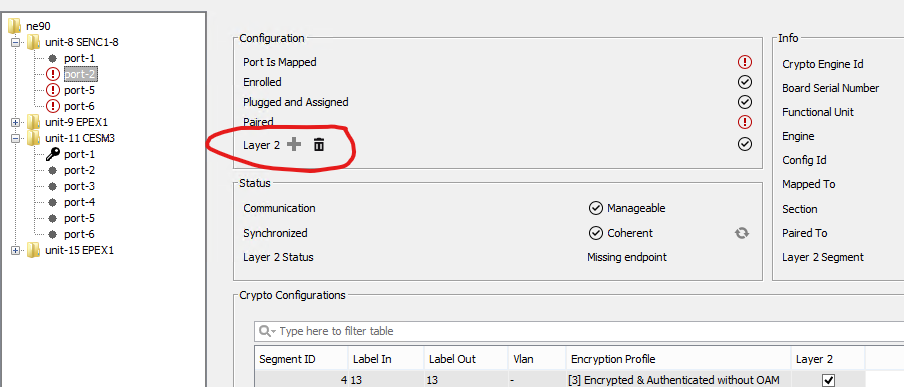
Disabling L2 Encryption from CE Details Dialog
All L2 information on the ESM windows / tabs will be updated accordingly.

Please note:
• L2 encryption refers only to the encryption of some L2 protocols (not all L2 data).
• When Enabling L2 encryption, you need to select the CE of one side, and when executing, the configuration will be created on both sides. When disabling L2 encryption, this must be done on all CEs involved one by one.
• When using a new FU, L2 protocol is enabled and in transparent mode by default. Recommended way to proceed is to delete default L2 configuration and reconfigure proper one.