
Enabling L2 Encryption
As stated before, this operation can only be performed if 2 “Crypto Capable” Crypto Engines are connected to the same section:

Two Crypto Capable CEs as Section End Points
In such a case the easiest way to configure L2 is to open the context menu on the CE tab, and click on “Enable L2”. The menu will be enabled only if the conditions are fulfilled.
To open the context menu, right-click on any of the 2 CEs connected to the required section where you would like to encrypt L2 protocol data.
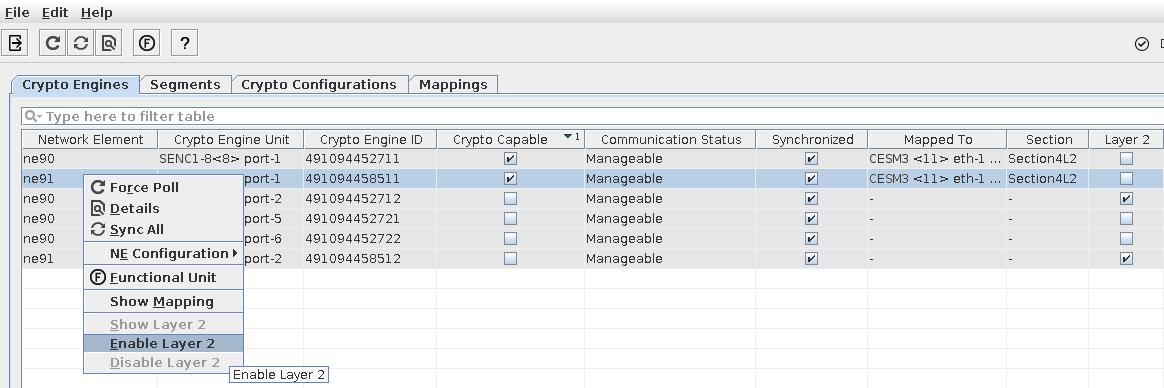
Context Menu on CE to Enable L2 Encryption
This will pop up a message window which will point out all relevant information and which will require a user confirmation.

Confirmation dialog for Enabling L2 Encryption
Once confirmed, the operation will create the required configuration on both involved CEs.

L2 Encryption is Confirmed